• Home
  • Images of the Month
  • My Notes
  • About
  • Contact
    • Privacy Policy

iJourneys

John Gough Photography

How to Make Your Photos Pop

by John Gough

I recently entered an event at Bedford Camera Club, where we were presented with six photographs in RAW. Our objective was to process three images and present back how we did it. These are my notes, about how I went about trying to make these photos pop in Lightroom and Photoshop. I have not explained the technical details, but I have included some links to all the technical information..

Amazon have a good deal on Lightroom and Photoshop at the moment:


Image 1. How to make Your Photos Pop

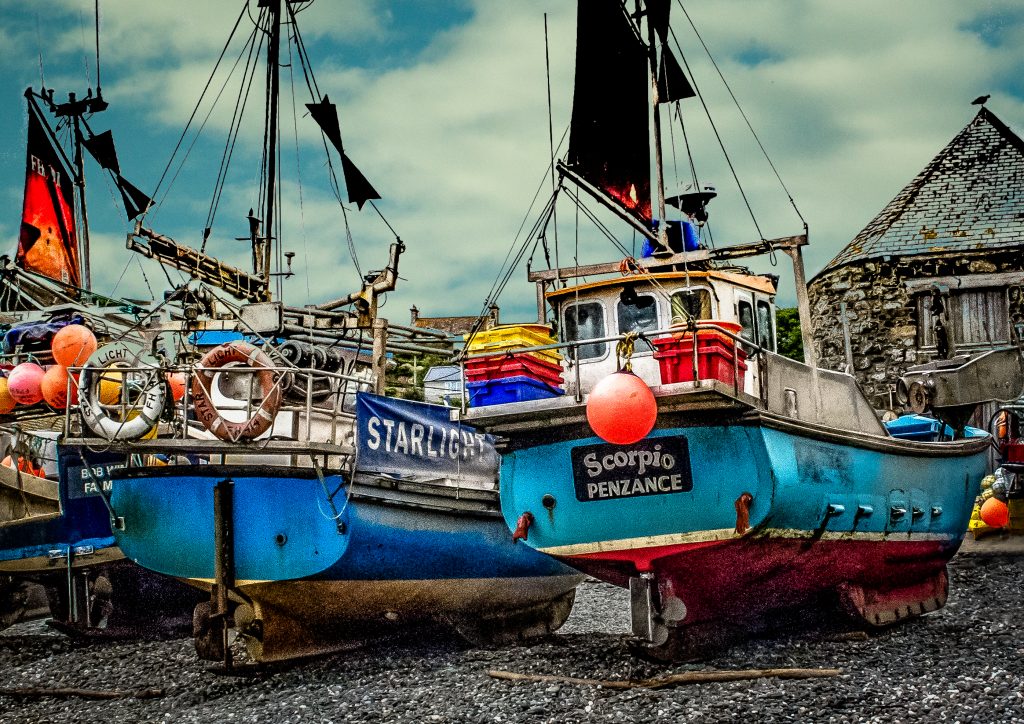
This is the first image in RAW. Looks very drab and ordinary, BEFORE processing.
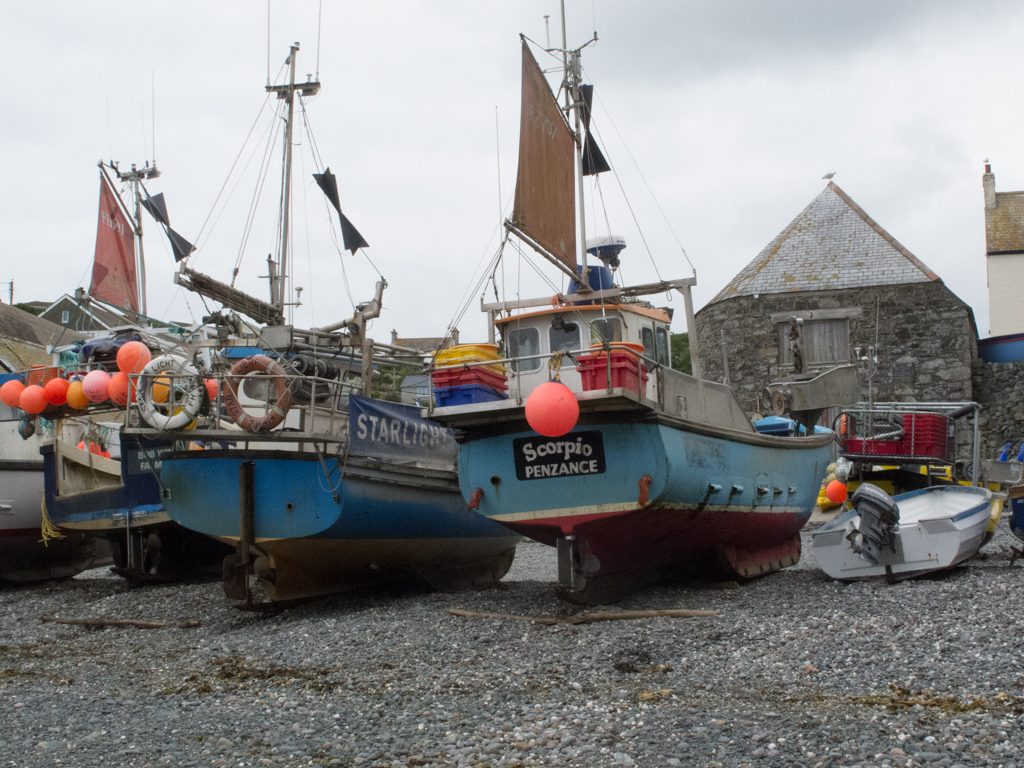
How to make your Photos pop

Image 1 BEFORE

The Issues with this Image

The picture is grey and washed out. There is no detail in the sky. There is no real focus on what the subject is. There is too much foreground. The edges are messy. The detail in the pebbles and brickwork are lost.

Processing in Lightroom and Photoshop

  1. Import the RAW file to Lightroom CC.
  2. Crop to A4 (Custom size 2.1 x 2.97) tightening the view to concentrate on the fishing boats. Excluding the motor boat on the right.
  3. Straighten the horizon. The roof in the background is not flat
  4. Check exposure. This image looks around a third of a stop under exposed
  5. Add contrast to make the image less flat
  6. Launch a Develop Lightroom preset. Here we are using my user preset for landscape
    1. Highlights -100 Shadows +100
    2. Adjust the whites and blacks by holding down the alt key (Windows)
    3. Move the Clarity / Vibrance / Saturation sliders to suit the effect required.
    4. Tone Curve.  Again to suit effect. Try an S curve
    5. Sharpening and Luminance around 30-45
    6. Tick Lens Correction and Enable Profile Correction
  7. Check the white balance. Take the dropper and pick a neutral grey colour. This will set the white balance.
  8. Move the image to Photoshop. Photo>Edit in>Edit in Photoshop CC
  9. Clone out the distracting speed boat on the right.
  10. Use the Dodge Tool to lighten the foreground and under the boats
  11. Use the Burn Tool just to add some detail back into the buildings and the decks of the boat
  12. To replace the sky. Erase the existing sky. Select>Colour Range>Fuzziness c’139. NB this method avoids having to somehow cut around the masts and rigging
  13. Use Erase tool to take out any remaining sky.
  14. Select an image with sky and add as a layer. Blend with the existing layer
  15. In Photoshop save. Image then available in Lightroom
  16. In Lightroom recheck the white balance / exposure /contrast etc for the new merged image
  17. Add a Post Crop Vignette that is there but not visible e.g. -14
  18. Save the image as a JPG
How to make your photos pop

Image 1 AFTER


Image 2 How to make Your Photos Pop

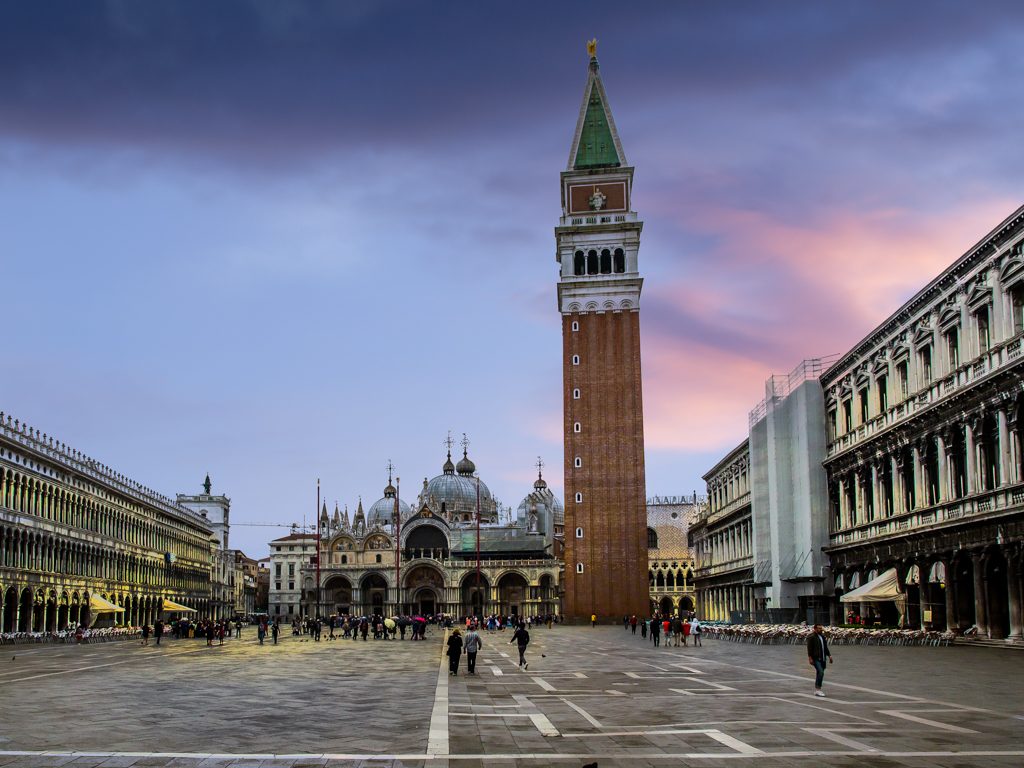
This is the second image in RAW. At least there is some interest in this image, but despite the magnificent architecture, it is drab and unexciting.
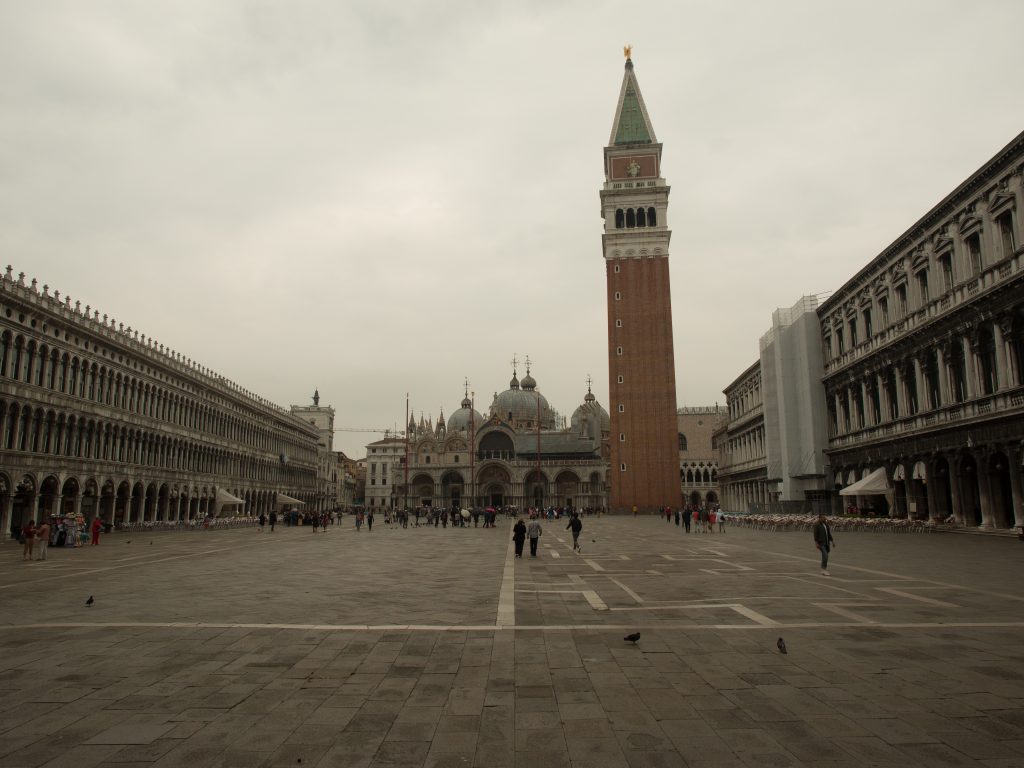
how to make a photo pop

Image 2 BEFORE


The Issues with this Image

This image has an odd sepia cast, as if the white balance needs correction. The detail in the sky is probably not worth trying to recover and could be replaced. The picture is dark and lacks detail. There is no real focus on the subject, the photograph is not about the two pigeons in the foreground.

Processing in Lightroom and Photoshop

  1. Import the RAW file into Lightroom CC
  2. Crop to A4 and lose the foreground
  3. Check exposure. This image looks around a third of a stop under exposed
  4. Add contrast to
  5. Launch a Lightroom preset (see above)
    1. Clarity / Vibrance / Saturation important to get some colour from the bland landscape.
    2. Manipulate the tone curve to get some detail
  6. The tower looks as though it is leaning backwards
    1. Go to the Transform tool
    2.  Use the vertical slider to -20 to correct
  7. Move the image to Photoshop. Photo>Edit in>Edit in Photoshop CC
  8. Use dodge and burn tools to create different light in the piazza, and to the buildings left and right
  9. Erase the sky. Select>Colour Range>Fuzziness (see above). This will preserve the building tracery on the buildings to the left and the spires and crosses
  10. Select an image with sky and add as a layer. Blend with the existing layer
  11. In Photoshop save. The image is then available in Lightroom
  12. In Lightroom recheck the white balance / exposure /contrast etc for the new merged image
  13. Add a Post Crop Vignette that is there but not visible
  14. The image still has an orange cast so recheck the white balance. The foreground piazza looks as though it should be grey so use the dropper to sample colour there.
  15. Save the image as a JPG
photos pop

Image 2 AFTER

Image 3 How to Make Your Photos Pop

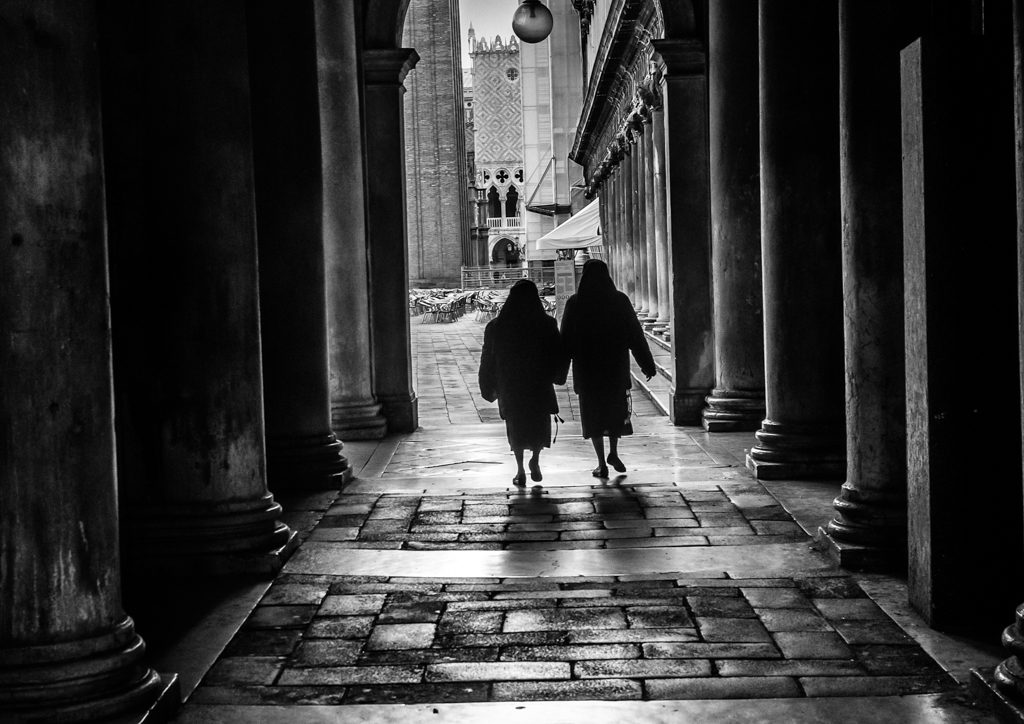
This is the third image in RAW. There is a picture in there somewhere trying to get out.
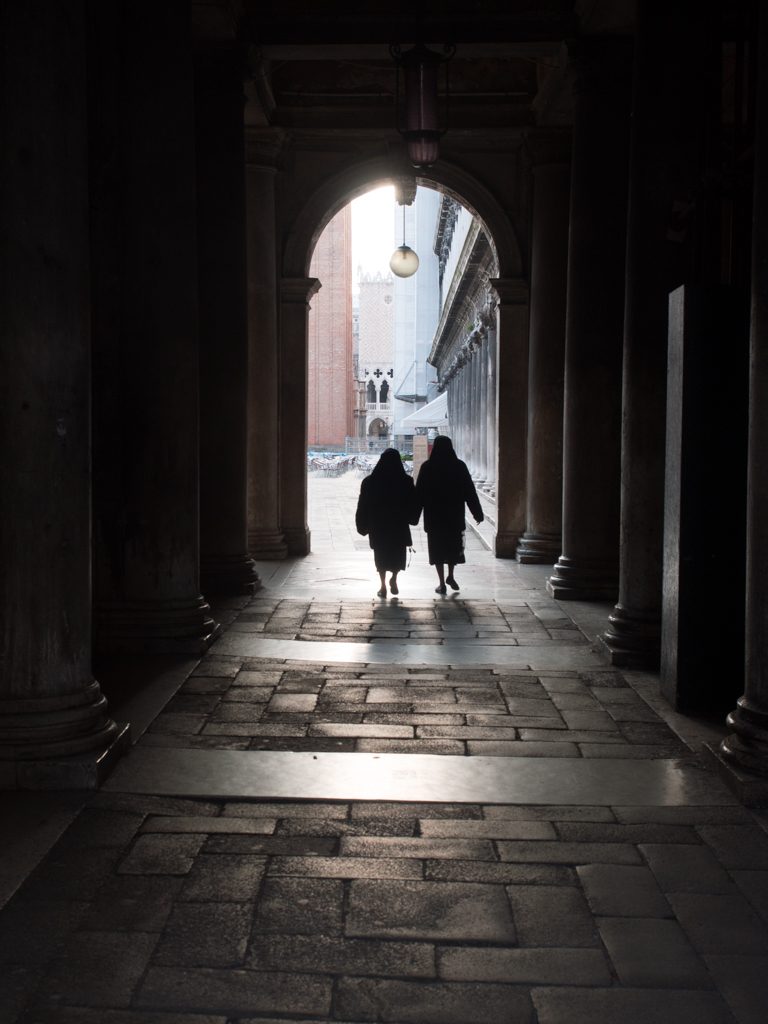
photos pop

Image 3 BEFORE

The Issues with this Image

The detail in the columns is lost. There is no real colour so would it be better in black and white? The portrait mode makes the picture mostly pavement. The two nuns should be made the focus of the image.

Processing in Lightroom, Photoshop and Nik Silver Efex Pro2

  1. Import the RAW file into Lightroom CC
  2. Crop to A4 and change from portrait to landscape. That way we focus on the ladies walking and lose the black shadow overhead. Place ladies in the centre of the rule of thirds grid
  3. Check white balance/exposure/contrast
  4. Apply a Lightroom preset (see above)
  5. Move the image to Photoshop. Photo>Edit in>Edit in Photoshop CC
  6. Use dodge tool to reveal the detail in the columns and paving.
  7. In Photoshop save. The image is then available in Lightroom
  8. Move the image to Nik Silver Efex Pro2 which you can download for free here. Photo>Edit in>Edit in Siver Efex Pro2
  9. Select a preset from the preset library in Silver Efex.
  10. Save to move image back to Lightroom
  11. Add a Post Crop Vignette that is there but not visible
  12. Save the image as a JPEG


I am fascinated by digital post production. However, I am still very much in the foothills in the journey to master Photoshop especially. If you want to see just what can be achieved, look at the books and videos of Glyn Dewis.


Filed Under: Journey, Lightroom, Nik Collection, Photography, Photoshop, Post Processing, Silver Efex Tagged With: Post Processing

Portraits in Lightroom

by John Gough

A note to myself, this is an excellent tutorial for processing a portrait in Lightroom. Until now I had always assumed that these tools were only available in Photoshop and required masking and layers, but  this portrait is handled from start to finish in Lightroom. Impressive cloning too towards the end. Well done Marc Webster.

Filed Under: Lightroom, Photography, Post Processing Tagged With: Post Processing

RPS International Photography Exhibition

by John Gough

RPS International Exhibition

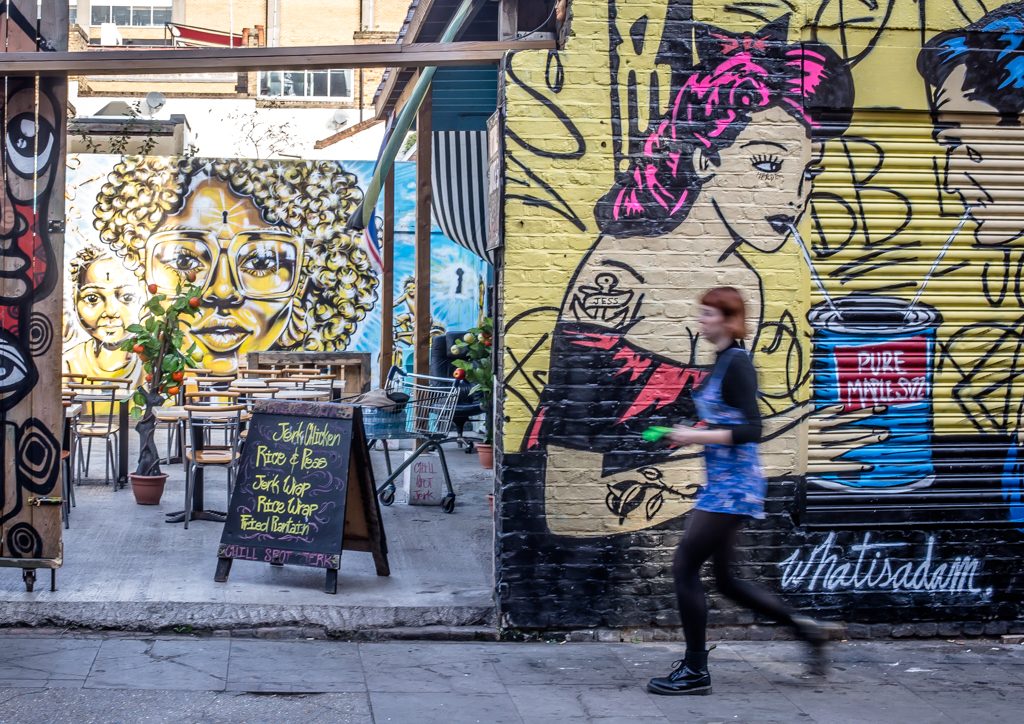
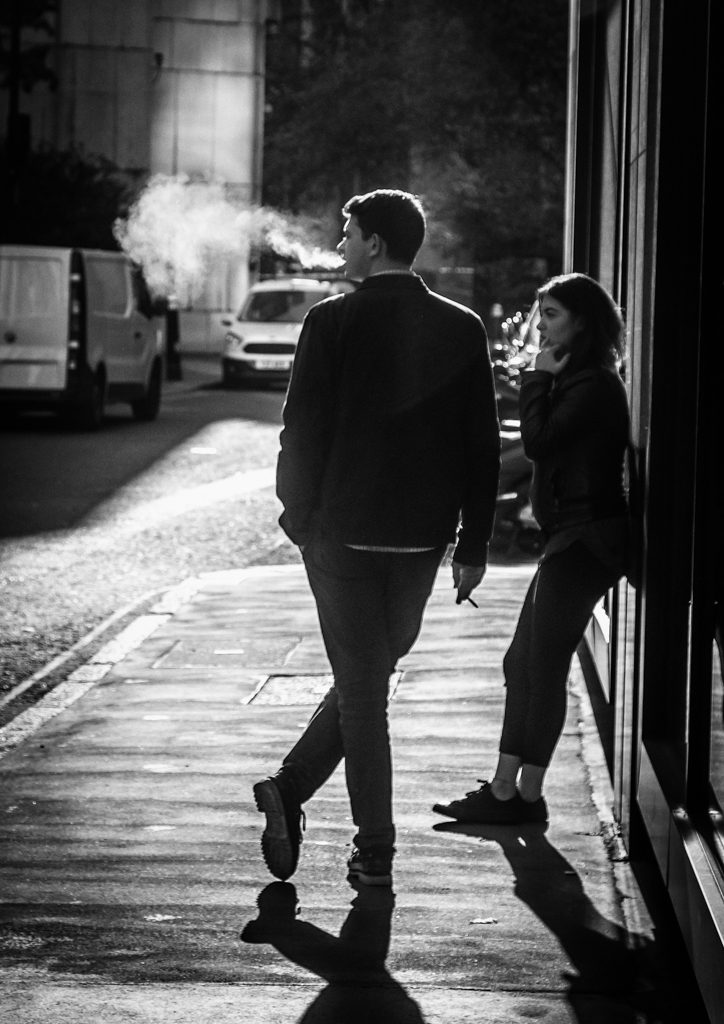
Shoreditch Street Art / John Gough / Canon EOS 6D

I visited the RPS International Photography Exhibition this week and there were a lot of strong images on display. So strong I wished I had taken many of them. A high level of envy on my part, is  sufficient criteria for a really stunning image.

The RPS International Photography Exhibition has been held almost every year since 1854. Now in its 160th year, it is the longest running exhibition of its kind in the world.

The RPS describes the exhibition as reflecting, ‘the varying interests and vibrant aesthetics of the photographic medium today, presenting work which demonstrates photographic skill and technique, alongside images exploring ideas and narratives rich in meaning and message. It encompasses single images and series work across all genres.  The work is executed in many ways from alternative processes to contemporary approaches’.

The RPS it seems is becoming more and more pompous. A prime candidate for Private Eye / Pseuds Corner.

The Awards

The gold award went to Margaret Mitchell. Her winning entry is here.  Her poignant environmental portraits of her sister’s children and others is part of a larger project, In This Place .

‘In This Place’ raises questions about choice—do we have choices in life, or are some predetermined and made for us?

Margaret took pictures of her nephew and two nieces as children, growing up in Stirling for a previous work called Family. More recently Margaret started photographing them again. Her sister’s children are now adults and have kids of their own. However their living conditions are the same, and it appears that the same outcome awaits each child. It is as if there were, some sort of self fulfilling cycle.

The silver award went to R J Kern. From this it is easy the current popularity of the environmental portrait. A glimpse of his exhibition The Unchosen Ones.

The Walk to the Station

The exhibition was at the Truman Brewery in Shoreditch, which was an excuse to walk the London streets with my camera. The street art is amazing.

Filed Under: Canon Cameras, Competitions, Exhibitions, Photography Tagged With: Photography competitions

Documentary Photographer of the Year

by John Gough

Documentary Photographer of the Year

Lunch Break. John Gough Canon EOS6D

The Exhibition

I went along to the 2017 Documentary Photographer of the Year exhibition at Printspace in London this week. The exhibition is organised by the RPS Documentary Group. It was a bit thin to be honest, probably twenty five images, thirty at most. However, it was interesting to see how photographers had tackled a documentary subject in just five pictures.

Particularly impressive was the winner David Fletcher who’s photographs follows Ann, a New Forest commoner, and her purchase of eight calves in December. After a few weeks the calves began to fall ill and despite her efforts, and expense of the vet, only two calves survived the winter. The photographs were very moving, in just five images you sympathised with her plight and felt in there with her. See here.

The Street Walk

The Documentary Photographer of the Year exhibition was at Printspace in Hoxton London. So it was an opportunity to walk through the east end of London, down through the City to Blackfriars to catch the train home. The image above is just one of two keepers, from the 200+ shots taken on the trip with my Canon 6D. Still that 1% rule. If I take 100 pictures I am lucky to get one that is worth sharing.

Last night I listened to a talk by Tom Way a truly amazing wildlife photographer. His pictures were fabulous, because in my opinion he was not a naturalist taking pictures, but a photographer taking pictures of nature. He advocated putting your photographs away for two months and coming back to them to critique them.  He put critiquing your own work as the number one photography skill. He looks for just twelve images a year! If I did that however I would probably be down to just 0.01%.

( Tom Way sells his work as fine art prints. This is just a note to myself about the paper and frame he uses)


Filed Under: Exhibitions, Photography, Street Photography Tagged With: documentary, street photography

Street Photography Portraits

by John Gough

Street Photography Portraits

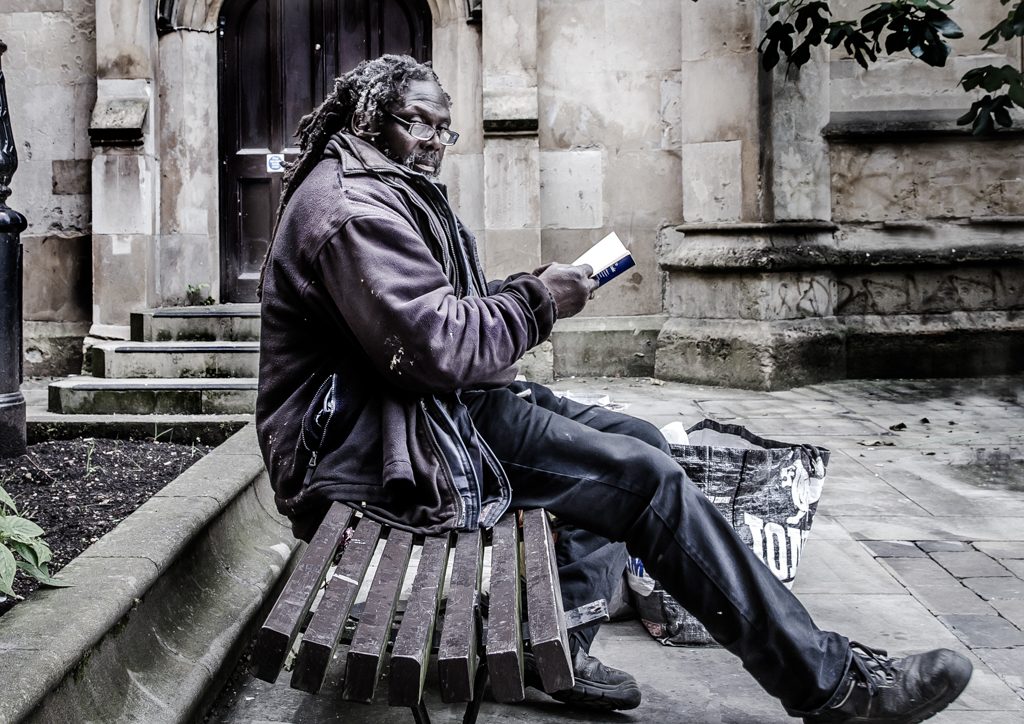
The Reader John Gough Canon EOS6D


Ever wondered how to take photography portraits of strangers in the street? You could be furtive and point a long lens in their direction, or you could be cheeky and like Dougie Wallace point a camera in their face and quickly walk on. It is one of the dilemmas of street photography.

I have to admit to discretely taking this picture, by pointing my camera to the left as I sat on the next bench. By the look on his face, I think he guessed that there is something going on!

The other alternative is to be like street photographer Kevin Gilper. This is a man who is on a mission, to take one thousand portraits a year. He calmly walks up to his victim and asks politely, “Excuse me, may I take a picture of you for my portfolio?”. A few say no but the majority say yes.

Kevin is not out to make money, he just feels that everyone deserves a good picture of themselves. He share his pictures on Instagram (@kgilper).


Filed Under: Photography, Street Photography Tagged With: street photography

10 Steps to Becoming a Great Photographer

by everywhereman

Photographer Steve Simon discusses the tools and thought processes needed to capture unique street imagery.

Filed Under: Photography, Photography Techniques Tagged With: Techniques

Photography in the Lake District

by John Gough

I was in my element over the last few days back in the Lake District.

Wastwater Photography

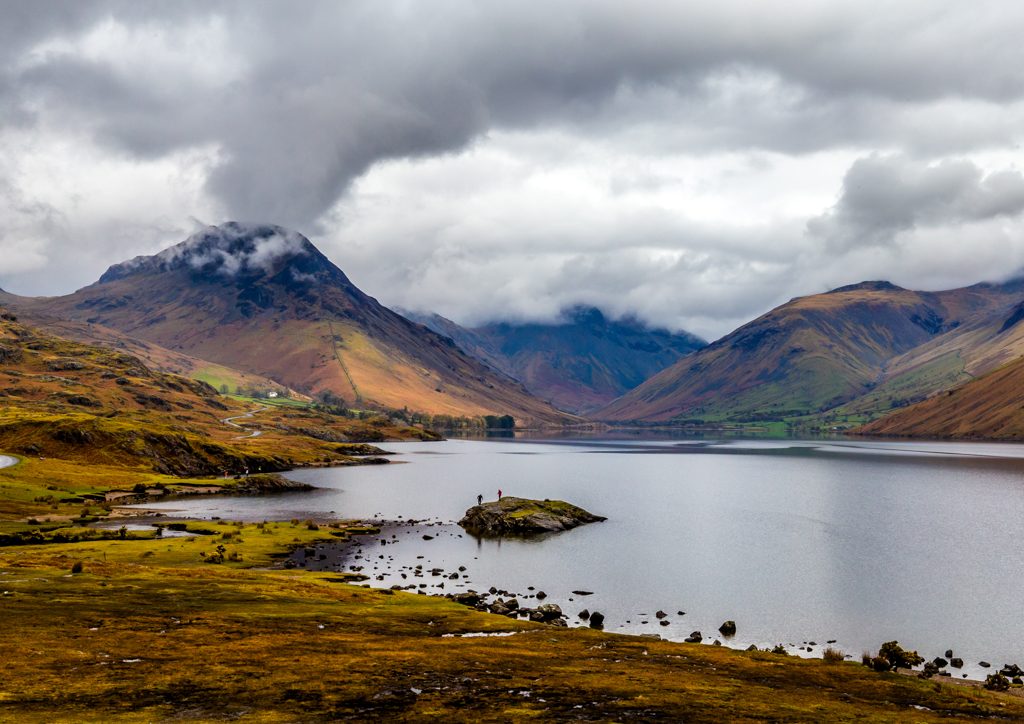
Wastwater is in my opinion just one of the most beautiful places on earth. It is almost impossible not to get a stunning photograph, which is why I keep going back. The weather is the only major challenge.

This is not a picture from this trip, but just shows how beautiful the lake can be when the weather and lighting are right.

Wastwater John Gough Canon EOS 6D


Keswick Photography

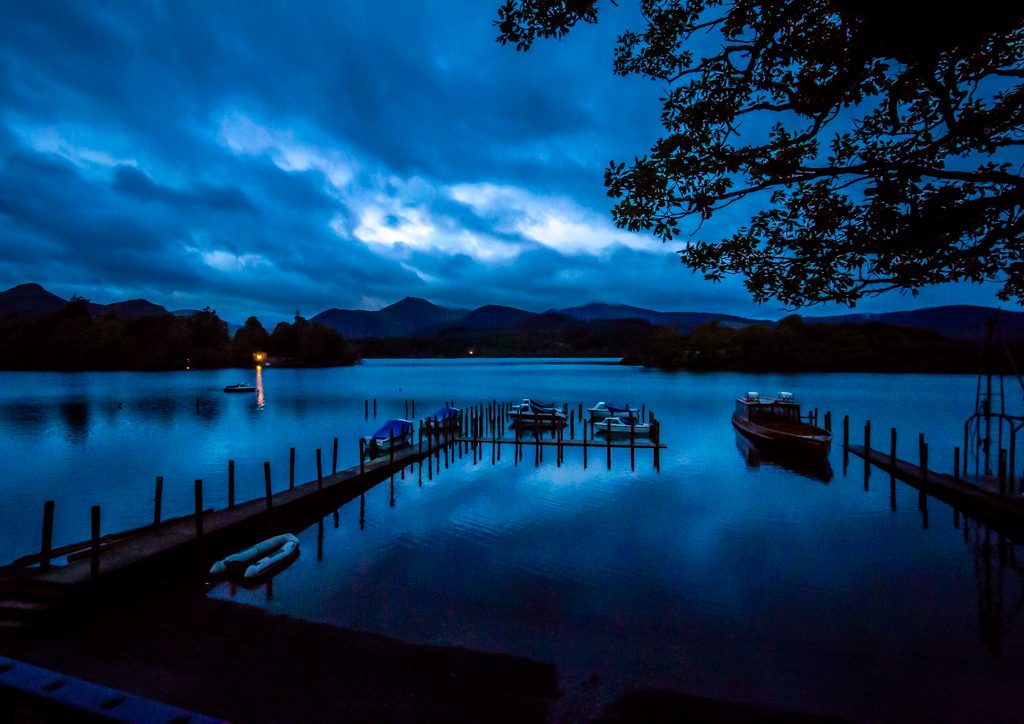
I usually stay in Keswick so that I can get up before dawn and photograph near Derwentwater. It is the golden hour, there are only a few people about and the light is magical. There are numerous opportunities for great pictures. The picture below was taken from here.

The ISO is an amazing 25600, f8 at 1/6th on a monopod rather than a tripod.

Lake District

Derwentwater Before Dawn John Gough Canon EOS 6D


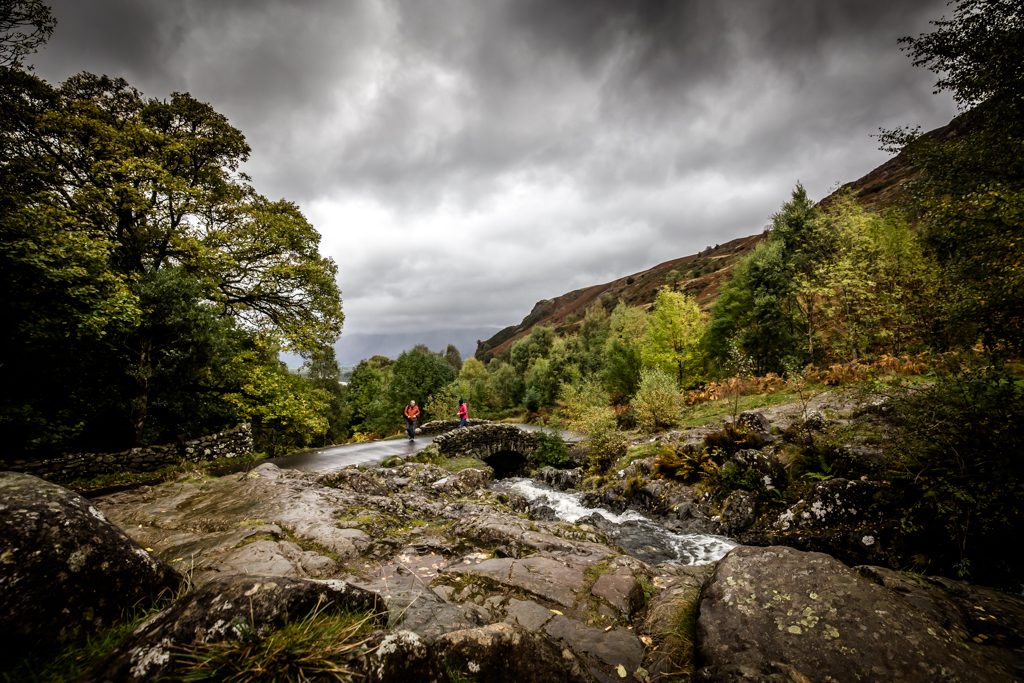
Another couple of locations close to Keswick are Ashness Bridge and Surprise View. There are car parks at both locations, so that you do not waste valuable photography time walking and climbing fells.

This picture was taken on this trip. Early in the morning on a grey day, but it is still a beautiful scene.


Lake District Photography

Ashness Bridge John Gough Canon EOS 6D


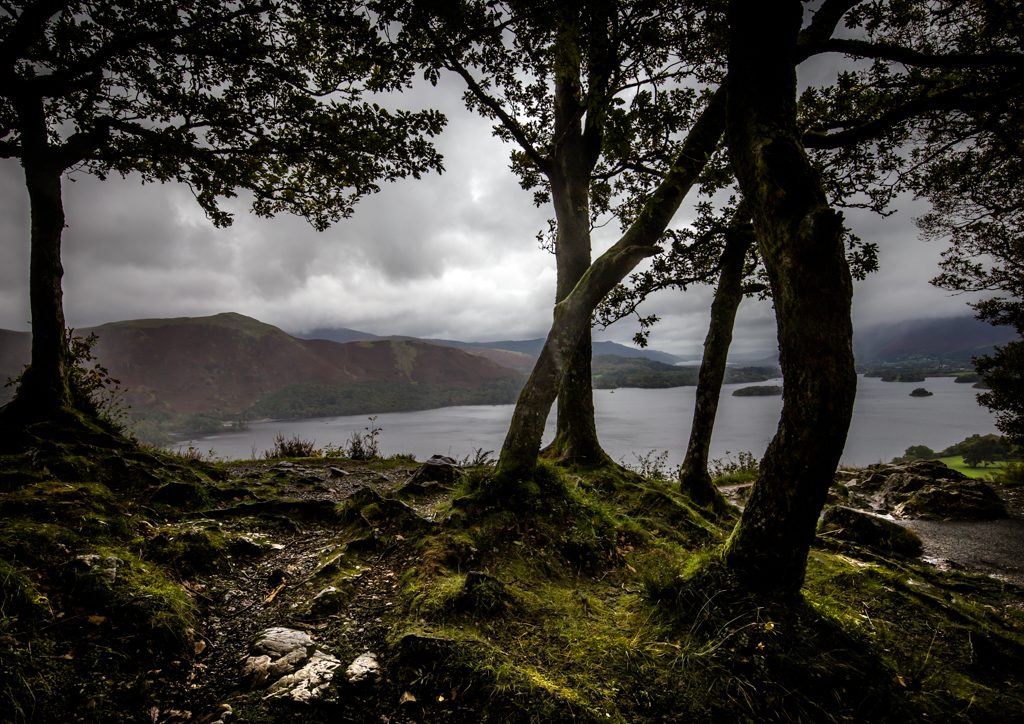
The next picture was also taken this trip at Surprise View


Again early, the cloud is heavy and it is barely light, but Photoshop allowed me to recover some of the shadows.

Lake District Photography

Surprise View Keswick John Gough Canon EOS 6D

Both these books are an  excellent guide to photography in the Lake District, and I carry them with me every trip.


Filed Under: Locations, Photography Tagged With: location

Joel Meyerowitz Photographer

by John Gough

Joel Meyorowitz is a contemporary of Tony Ray-Jones. His YouTube videos are both educational and inspirational.

Here he describes how his photography is not the record of a single thing, but the coming together of two different things. This is about contradictions and connections in photographs which we talk about frequently in these pages. However for Meyerowitz it is about having the scene as busy as possible so that the eye is not necessarily drawn to just one thing.

This is how he works and why it is important to photograph in colour, and not have a single thing dominate the image.

Filed Under: Photographer, Photography, Street Photography Tagged With: photographers

Tony Ray-Jones Photographer

by John Gough

My aim is to communicate something of the spirit and the mentality of the English, their habits and their way of life, the ironies that exist in the way they do things, partly through their traditions and partly through the nature of their environment and their mentality. For me there is something very special about the English ‘way of life’ and I wish to record it from my particular point of view before it becomes Americanised and disappears.

Tony Ray-Jones was a documentary photographer even before the term was coined. He studied in the US at Yale and returned to the UK in 1965, it was then whilst doing work for the Radio Times and other publications, that he decided to turn his camera on the English at leisure. At the time, his photographs were considered “exotic”.

In 1968 his attempts to publish his England by the Sea album, which served as a basis for the A Day Off (which was published after his death), came to nothing – the publishers claimed that the album would raise no interest.

He was a major influence on Martin Parr, but sadly died at the age of 31 from leukaemia.

Here Martin Parr talks about his influence on him.

The Guardian have a super collection of his work

More of his work at Lensculture

In 2004 Liz Jobey wrote a very informative article about Tony Ray-Jones

The critic Sean O’Hagan said:

in his short life he helped create a way of seeing that has shaped several generations of British photography

Filed Under: Photographer, Photography, Street Photography Tagged With: photographers

11 Stages That Every Photographer Goes Through

by everywhereman

Just had to share this from the Digital Photography School, which is a great site and a valuable source of tuition and information.

I read this article thinking it was going to be rubbish. I am always very wary of articles that start, “10 things you didn’t know about………..”, but it turned out to be very true, and funny. Especially the stage about giving up all your gear and just choosing to shoot with a small camera with a prime lens. Personally I am still in that phase, but because my site is about a personal journey. Enjoy…………….

11 Stages That Every Photographer Goes Through

Filed Under: Journey, Photography, Photography Techniques Tagged With: Learning Photography

« Previous Page
Next Page »
Copyright: John Gough 2025