• Home
  • Images of the Month
  • My Notes
  • About
  • Contact
    • Privacy Policy

iJourneys

John Gough Photography

Don McCullin in Syria

by John Gough


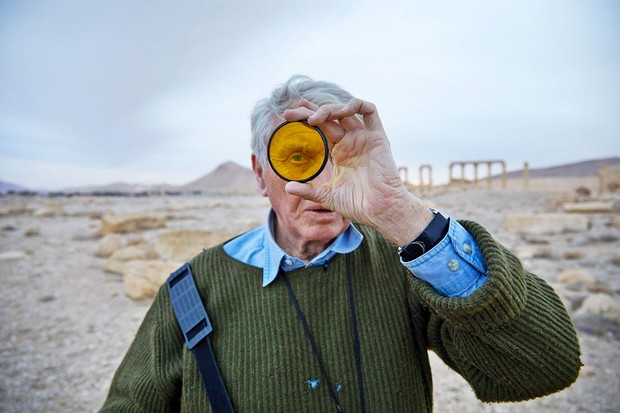
“Now I’m in an old man’s body with a young man’s eyes,” says 82-year-old veteran war photographer Don McCullin as he struggles to the top of a shelled building in the Syrian city of Homs. He and architectural historian Dan Cruickshank take a road trip from government-controlled Damascus to Palmyra. The Unesco-listed ancient Syrian desert city of temples and columns ravaged by IS during the war that preceded the other wars that are desecrating this country.

BBC Documentary: The Road to Palmyra

McCullin and Cruikshank, who we assume are old friends have a close association with the city. In the programme, The Road to Palmyra they travel through this war torn land to return and understand the havoc wreaked there.

The documentary is an opportunity to see McCullin at work, “My mind says, ‘We’re going up there,’ my body says, ‘Hang on, are you sure?’ If my legs shake a bit, it’s not because I’m afraid, it’s my body refusing my youthful mind.” He has lost none of his ability to observe, empathise and document. However, it is the emotional input to his photography that is paramount, as it has been throughout his long career.


“Photography for me is not looking its feeling. If you can’t feel what you are looking at. Then you’re not going to get others to feel anything when they look at your pictures”

Don McCullin


The documentary will be available on iPlayer for a few weeks.
 

Filed Under: Journey, Photographer, Photography Tagged With: photographers

The Camera Sensor. Does Size Matter?

by everywhereman

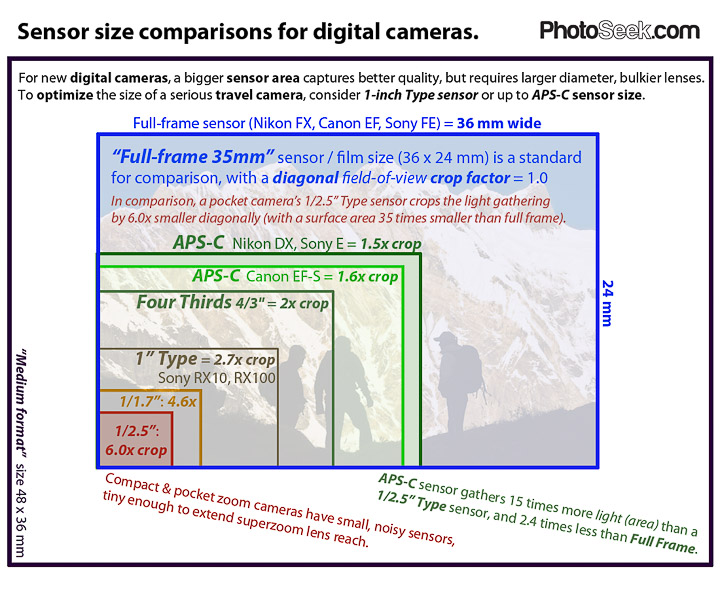
Thanks to Photoseek.com for this graphic


I have tried to make sense of sensors, and address the question, Is a bigger camera sensor better?

What is a Camera Sensor?

It is the digital equivalent of film. It captures light and converts what you see through a viewfinder, EVF, or LCD screen into an image.

How does a Camera Sensor Work?

A camera sensor uses millions of tiny light cavities or “photosites” to record an image. When the shutter is pressed photosites collect photons and store these as an electrical signal.  (Photons are particles which transmit light i.e. light is carried through space by photons. That is all we need to know!) The more photons that are collected by the photosites the stronger the electrical signal. The different signal strengths across the millions of photosites are then converted into digital values. This is capable of being converted into a greyscale image, however not a colour image because photosites are unable to distinguish how much of each primary colour they have recorded.

What is the Difference between a Photosite and a Pixel?

Pixels and photosites describe the same light cavity on a camera sensor. However, pixels have also come to describe the smallest element of an LED screen. Which is the display side of the sensor rather than the light capture element. So pixels describe both and this can cause confusion.  Camera manufacturers refer to sensor size in terms of megapixels (i.e. one million pixels). For example, a 21.1 megapixel sensor is 5616 photosites wide by 3744 photosites high.

How does a Camera Sensor Capture Colour?

Each photosite is in effect colour blind, only recording the total intensity of the light that strikes its surface. To capture colour images, a beam splitter is placed over each photosite. to filter the light so that only one primary colour is allowed through. The other colours are discarded. This colour filter array was invented by Dr Bryce E. Bayer, a scientist working for Kodak. He invented the particular red, green and blue arrangement of colour filters to capture colour information.

Camera Sensor

Bayer Filter Array

The red filters, for example, will only allow red light photons to pass into the pixel below it. Each line on the array has only two of the primary colours either red/green or blue/green. The camera then uses an algorithm to work out the colour of each pixel. In fact, it combines a 2×2 square of four photosites together to predict the colour and its intensity. 

How Big is the Camera Sensor in Your Smartphone or Camera?

The graphic above is from PhotoSeek.com and compares different sensor sizes.

Smart Phones Sensor Size

Smartphones utilise very small sensors. As an example, the sensor size on an Apple iPhone 7 is 1/3inch, 12megapixels, pixel size 1.22 microns. Diagonal measurement 6.0mm, area 17.3 square mm. A full frame sensor is 55 times bigger.

Compact Cameras Sensor Size

A Canon Powershot has a sensor size 1/1.7inch, 12megapixels, pixel size 1.9 microns. Diagonal measurement 9.3mm, area 41.51 square mm. A full frame sensor is 21 times bigger.

Micro Four Thirds

This is a sensor size widely used on Olympus and Panasonic cameras that was introduced in 2008 to create smaller camera bodies and lenses. For example, the Olympus PEN F has a micro four thirds sensor, 20 megapixels, pixel size 3.3 microns. Diagonal measurement 21.6mm, area 225 square mm. A full frame sensor is 3.8 times bigger.

APS-C

Widely used in SLR cameras. For example, the Fujifilm X-Pro 2 has an APS-C sensor, 24 megapixels, pixel size 3.9 microns.  Diagonal measurement 28.2mm, area 370 square mm. A full frame sensor is 1.54 times bigger.

Full Frame

Used on digital SLRs and mirrorless camera. For example, the Nikon D600 has a full frame sensor, 24 megapixels, pixel size 6.0 microns.  Diagonal measurement 43.2mm, area 860 square mm.

So Does the Camera Sensor Size Matter?

A bigger sensor is better for two reasons. Firstly the bigger sensor can capture more light, which means more detail, better colour rendition a sharper image and more depth of field. Smartphones can take great images, but the sensor on a full frame camera is 55 times bigger, and that is a lot more light. Secondly, the size of the photosites/pixels does matter. On full frame cameras, the increase in pixel size means that manufacturers can offer amazing ISO performance, which means better low light performance and more dynamic range.

It is therefore important to make a decision on which camera to buy, not based just on the sensor size measured by the number of megapixels. It is also the size of those pixels that count. A smartphone may be 12 megapixels, but the pixels are small about 1.55 microns compared with 5.2 microns on a similar size APS-C sensor.

Camera manufacturers are a bit vague on pixel size. This may be because there is a trade off, between the area of the sensor and the size and number of pixels that it can contain. As full frame sensors gradually creep towards 30 megapixels and beyond, this may be close to the maximum based on current technology. For photographers and camera manufacturers, yes, it is all about size!


Filed Under: Gear, Journey, Photography Tagged With: photography

2018 Sony World Photography Awards Exhibition

by John Gough

Sony World Photography Awards

Sony World Photography Awards / John Gough / Sony a6300


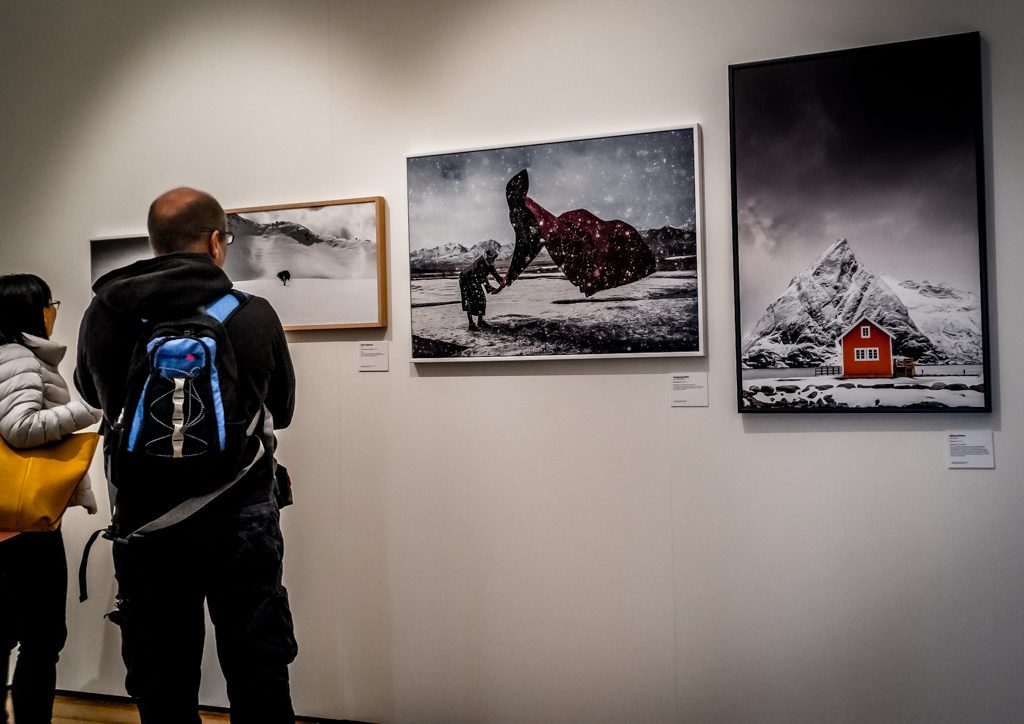
We consume so much of our photography online, that to go and see a magnificent photographic print is just a rare treat. For that reason, there is no bigger treat than the 2018 Sony World Photography Awards Exhibition, which is on at Somerset House until May 6th. I just loved being immersed in such stunning photography room after room. I wanted some osmosis to occur where some of the talent that had gone to make up these pictures would just rub off on me.

We are fed the line as photographers that we should be able to make a photograph from any view, vista or situation. This is not always true. I would love to be able to get to the places in the world where some of these photographers had been, stand in their shoes, and look down my viewfinder and see what they saw. So the learning I took away was……….get yourself there.

Many of the pictures from the exhibition are here.

Some background…………

Filed Under: Exhibitions, Journey, Photography Tagged With: Photography competitions

David Hurn: A Life in Pictures

by John Gough

David Hurn Exhibition

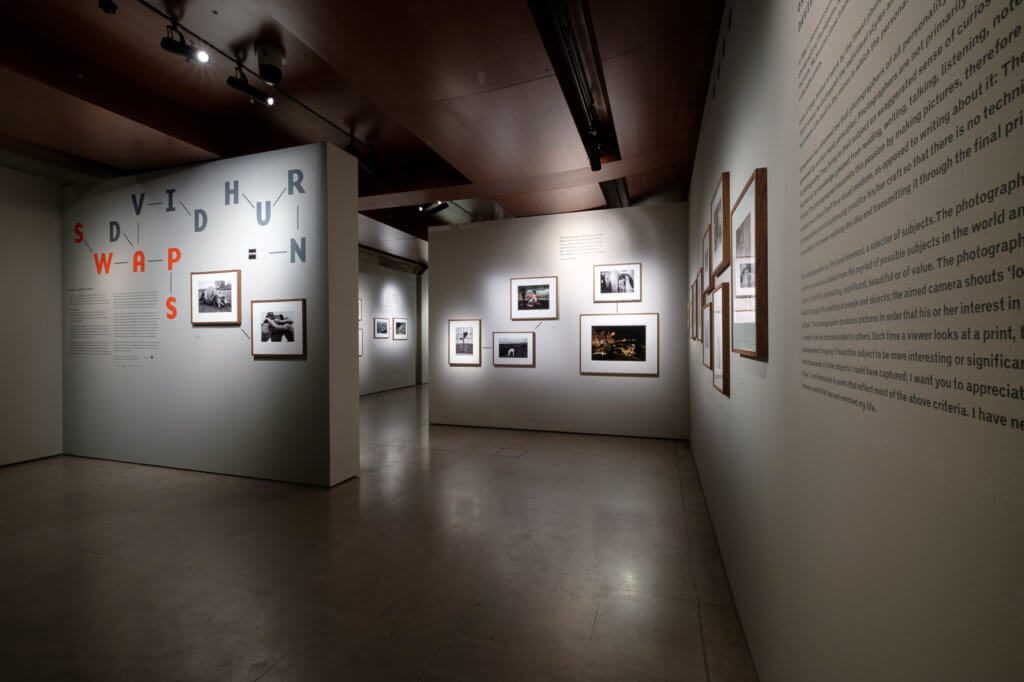
There was an under trailed programme on BBC television about David Hurn, a photographer who started in the 60’s with fashion then moved on to celebrity photographs notably Jane Fonda in Barbarella and Sean Connery in the Bond movies. The programme is a delight and you may still be able to find on BBC iPlayer.

It is charming because at the age of 83 Hurn is still as enthusiastic about photography as he has been all his life.

Before photography became art and pictures sold for thousands, Hurn would swap his pictures with other photographers. As a result, he has a vast and valuable photograph collection with images from all the great photographers of the 20th Century. Last year he exhibited at Photo London. The exhibition which was co-curated with Martin Parr marked the 70th anniversary of  Magnum Photos and included work that Hurn had swapped with Bill Brandt, Bruce Davidson, Sergio Larrain and Diana Markosian.

In the programme, he explains his rationale for donating his collection to the National Museum of Wales in Cardiff. There was an exhibition of the collection which has now finished, and there are no plans I understand for a further exhibition at present.

David Hurn, however, is primarily a documentary photographer:

and I have collected some of his work here.


Filed Under: Exhibitions, Journey, Photographer, Photography Tagged With: photographer

Vision Nine Contemporary Photography

by John Gough

Vision 9

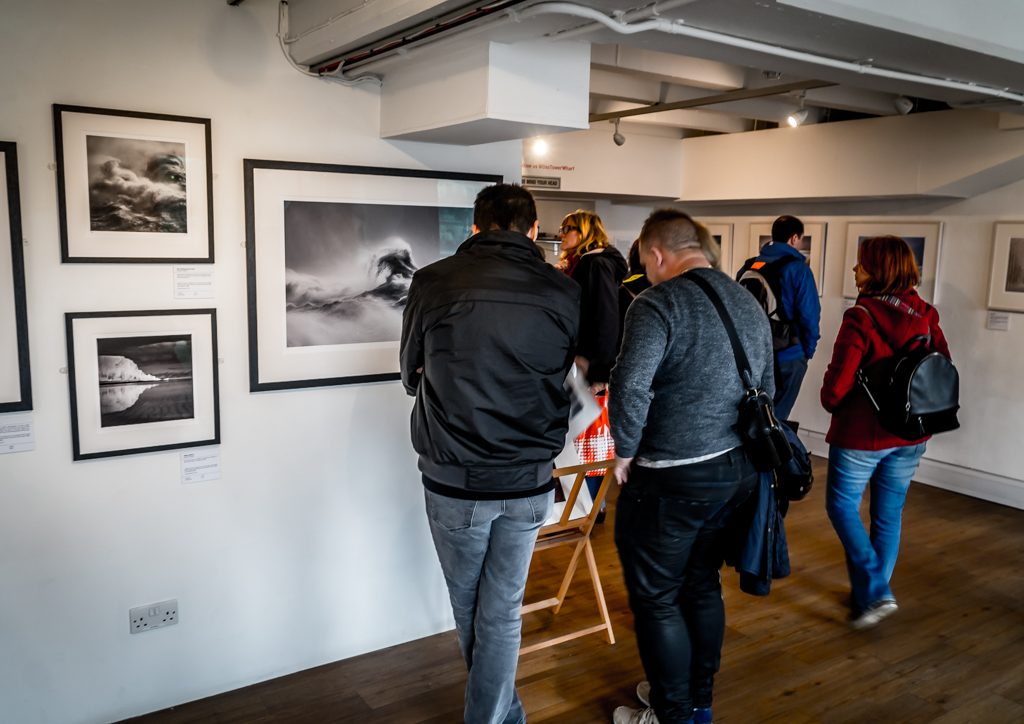
Today I viewed the Vision 9 contemporary photography exhibition at the OXO Tower on the South Bank. Nine leading outdoor photographers are displayed showing seascapes, landscapes and abstract images.

Why go? My rationale is that it demonstrates the gap between the work I do and truly remarkable photography. If I have a personal mission, it is to close that gap.

The photographers exhibiting are:

Valda Bailey     Doug Chinnery   Cheryl Hamer  Marianthi Lainas  Astrid McGechan    Beata Moore   Paul Sanders  

 Richard Talibart  Linda Wevill

The exhibition is on until the 15th April. Admission is free.

Filed Under: Exhibitions, Journey, Photographer, Photography Tagged With: Visual Art

Fujifilm X-H1 Review of Reviews

by John Gough

Fujifilm X-H1

Fujifilm X-H1

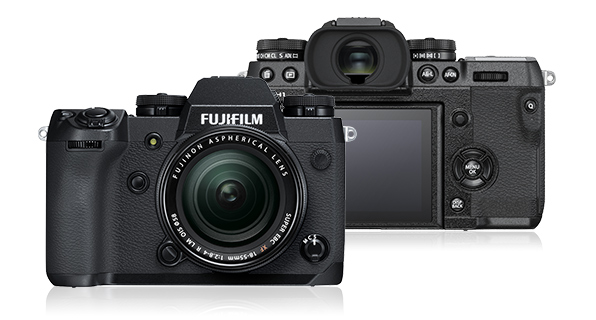
Fujifilm X-H1 is the H for hype or does this camera live up to its billing? We trawl the reviews and forums to try and get a balanced view on the Fujifilm X-H1 as a stills camera.

Already a fracas has broken out. If you dare to criticise a Fujifilm camera then be prepared for a kickback. Their users are the most loyal in the world. However,  YouTube photography supremo, Tony Northrop challenged the Fuji orthodoxy by claiming that the full frame sensor on the Sony a7III had two times the image quality of the Fujifilm X-H1 sensor. We know what he meant but……

However, Northrop hit back:

So what is the point? Well, it reflects a disappointment that this camera was probably not the camera Fuji enthusiasts were dreaming of. Why? Let’s look at the camera in more detail.

Fujifilm X-H1 Specification

  • 24.3-million-pixel X-Trans APS-C CMOS III sensor
  • 5 axis in-body image stabilization: IBIS
  • 3in, 1.04m-dot tilt screen
  • Tiltable touch sensitive LCD
  • ISO 200-12,800 (expandable to ISO 100-51,200)
  • Continuous shooting up to 14fps
  • Two card slots
  • 673g body only, including battery and memory card. 166g heavier than the XT2
  • 310 shot NP-W126S Li-ion battery
  • Wi-Fi with Bluetooth
  • Optional VPB-XH1 battery grip
  • 139.8×97.3×85.5mm (WxHxD)
  • 25% tougher weather-resistant body
  • Silent electronic shutter with a maximum speed of 1/32,000 sec,
  • 91 auto-focus points (expandable to 325)
  • A sub LCD monitor on the top plate
  • 4K capture at up to 200 Mbps

Fujifilm X-H1: DPReview Review

The DPReview review awards the camera a sliver award, because the camera although worthy does not excel in any respect:

  • The size and weight of the camera has been increased over the XT2 because of the addition of IBIS and the thermal cooling required for long bursts of 4K video
  • The settings for stills and video can remain separate, enabling easy swapping between modes.
  • There is a dynamic range priority setting which can assist in drawing detail out of shadows.
  • The magnesium alloy body is 25% thicker and the surface hardness has been increased to improve durability.
  • The top plate LCD panel stays on even when the camera is switched off and can be configured to only show vital information.
  • The weather sealing has been improved and the camera can function at -10C.
  • The 310 shot battery should last half a day of dedicated photography
  • Need to fine tune the AF behaviour to get sharp results
  • Face detection performance is good but variable depending on the lens.
  • Low light AF is said to be improved
  • AF works best in the phase detection area at the centre of the sensor
  • The 5x IBIS is not consistent across all lenses. Expect about 2x with wide angle lenses and 3,3 with telephoto.
  • An excellent JPEG engine with excellent creative colour modes
  • Slight ‘glitching’ in fine colour detail in RAW but overall low noise levels are low and detail acceptable.
  • The touchscreen can be slow to respond

 I’m not sure the number and style of control points necessarily reflects the needs of the user interface, now it’s trying to accommodate both stills and video

the X-H1 [is] up against some pretty fierce competition: Sony, for example, offers the broadly comparable a6500 for less money or the impressive-looking full-frame a7 III for only a little more.

Fujifilm X-H1: Cameralabs

Cameralabs provide one of the most detailed reviews available, here are the bits I found interesting:

  • Could be described as an XT2 with IBIS, a touchscreen, bigger grip, better video and Bluetooth
  • One of the heftiest mirrorless cameras
  • It is stronger mare scratch resistant and has 94 points of weather sealing
  • The display remains active when the camera is switched off, indicating at a glance the shots and battery life remaining.
  • Some glasses wearers prefer the viewfinder to the XT2
  • It is possible to record stills to both cards but not video
  • The X-Trans III sensor is the same as in the XT2 and is now two years old.
  • Vertical Power Booster (VPB X-H1) makes room for three batteries but adds to cost and bulk.
  • Unstabilised lenses become usable due to the IBIS. Plus the IBIS make in camera composition easier with telescopic and other lenses.
  • The phase detect and contrast based autofocus systems are the same as the XT2 and therefore perform similarly. However, it has been tweaked to work better in low light.
  • Face detection and eye detection can be erratic

I say it in every Fujifilm review, but still believe they have the best colour science in the industry.

I understand Fujifilm’s eagerness to launch their first body with built-in stabilisation, but feel the X-H1’s size, price and position would have been more comfortable with a new sensor and battery.

Fujifilm X-H1: Kai W

If you want to see the weather sealing qualities check this out:


Fujifilm X-H1: Fstoppers

Usman Daywood in the Fstoppers review calls this a disappointing release from Fujifilm.

  • Comments online wonder where this product fits and when there will be a replacement for the XT2
  • Major changes over XT2 re stills photography are an information top plate, IBIS and touchscreen

The Fujifilm X-H1 is a disappointing and confusing release from the company which is very unlike them. This feels rushed and completely unnecessary, and it would have been much better to simply wait and release a proper update the X-T2. 


Fujifilm X-H1: Digital Camera Weekly

A very positive review from Digital Camera Weekly

  • The light trigger shutter takes getting used to. Very little pressure is needed.
  • The shutter is very quiet due to a clever shock damping on the mechanical focal plane shutter
  • The deep grip makes the camera easy to hold especially with larger lenses
  • The IBIS enables sharp images to be taken handheld at 1/8 sec at 55mm.
  • The expanded dynamic range feature lifts the base ISO level by 1-2EV.
  • Fujifilm includes lens corrections into the RAW files as well as JPEG processing.

the X-H1 makes a lot of sense, especially for those who have already invested in the X-mount system or are swayed by its design, image quality and lenses. 

Fujifilm X-H1: Photography Blog

Another positive review from Photography Blog

  • The lens mount is reinforced to be more damage resistant.
  • It is very convenient to be able to check the camera’s key settings with a quick glance at the top LCD
  • It is possible to change the focus point whilst holding the camera up to your eye by dragging your thumb across the touchscreen.

While the new Fujifilm X-H1 is the best-specced, best-performing X-series camera to date, curiously we feel that it doesn’t quite have the widest appeal, both within the Fujifilm eco-system and the camera market as a whole.

So what Fujifilm have mostly added, they’ve perhaps also taken a little away, with the addition of IBIS, bigger handgrip and top LCD screen making the X-H1 the largest X-series APS-C camera to date.

it’s not the only camera that’s being directly challenged by the aggressive pricing of the A7 III, but when the APS-C sensor X-H1 is physically bigger than the full-frame sensor A7 III at the same price-point (if you factor in the VPB-XH1), Sony seem to have the edge, at the very least in marketing terms.

Fujifilm X-H1: Conclusion

When I first handled the X-H1 I was surprised at how bulky it was. I was disappointed that the retro feel of Fujifilm cameras had been jettisoned. However, it may just be a function of progress as mirrorless cameras take on more features and technology. However, I wonder whether Fujifilm had an inkling that Sony was about to release a ball buster in the Sony A7III, and rushed to release the X-H1 without properly resolving battery and other issues.

Where to Buy

I buy my equipment from Wex because I have found they offer great customer service.


Filed Under: Cameras, Fujifilm, Gear, Journey, Mirrorless Tagged With: Fuji Cameras

Philip Lepper Trophy

by John Gough

Philip Lepper Trophy

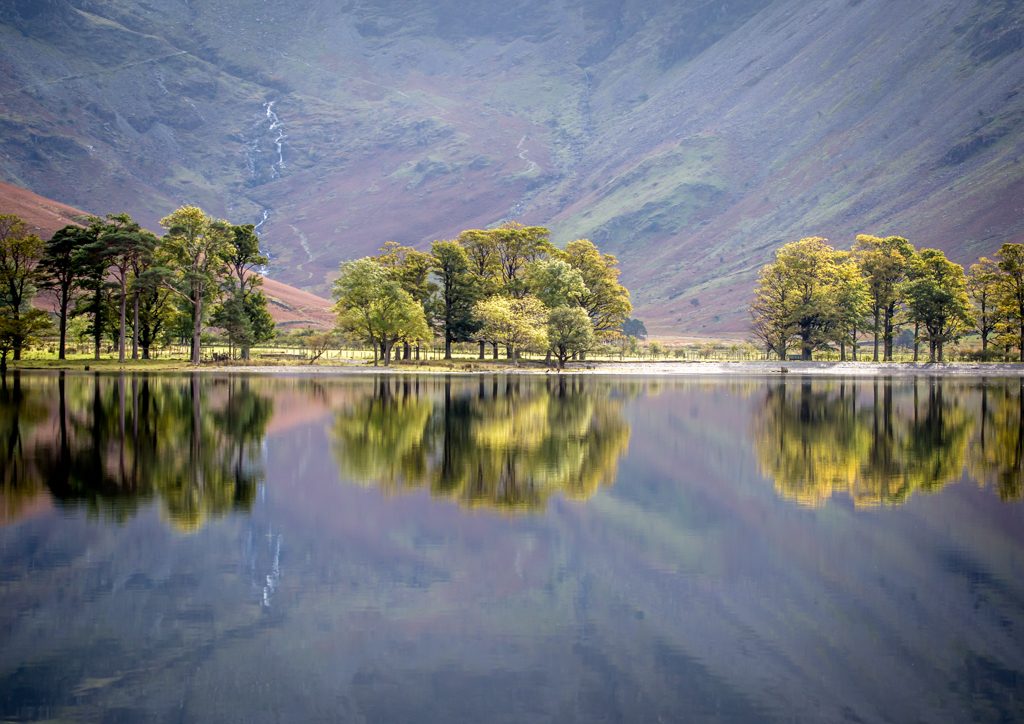
Trees Reflected / John Gough / Canon 6D

Delighted to receive the Philip Lepper Trophy at Bedford Camera Club this week, for my image Trees Reflected.

It was taken a year or so ago at Buttermere. I parked the car in Buttermere village then walked back along the B5289 towards Gatesgarth. I then walked back to Buttermere on the path between the lake and the road. The picture was taken looking back at the trees on the southern shoreline, using a big 100-400mm lens.

All the photography gods were aligned that day.

Filed Under: Journey, Landscape, Locations, Photography Tagged With: Photography competitions

Lake District Photography Locations

by John Gough

Lake District Photography Locations

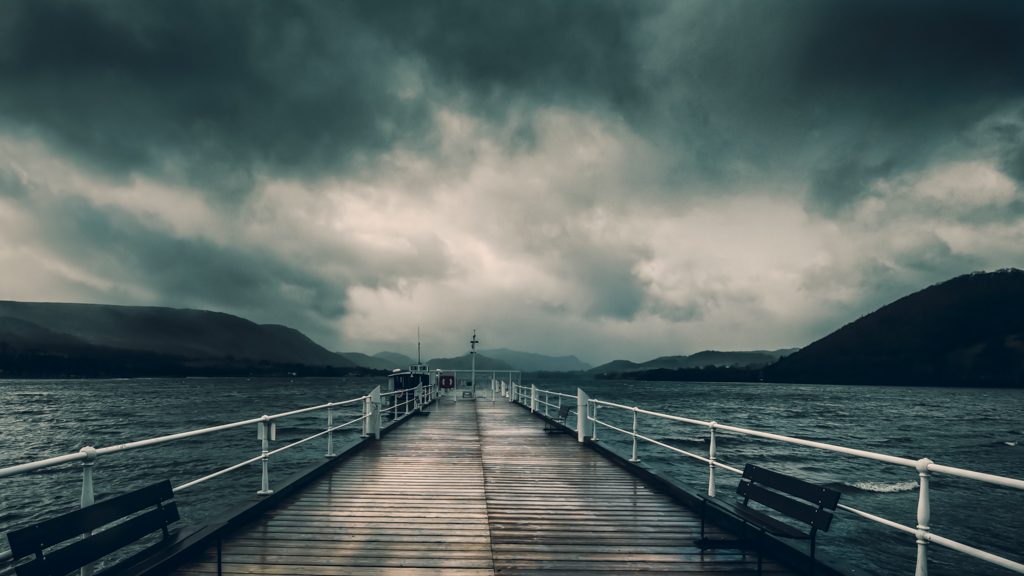
Pooley Bridge Pier / John Gough / Canon 6D

I have been in the Lake District for a few days, and instead of darting from one location to the next, I did what many landscape photographers recommend which is to work the location. Usually, I don’t have the time for this, trying to pack in as much as I can. However, I have accumulated hundreds of pictures of the Lakes over the past few years, so I decided to follow their advice.

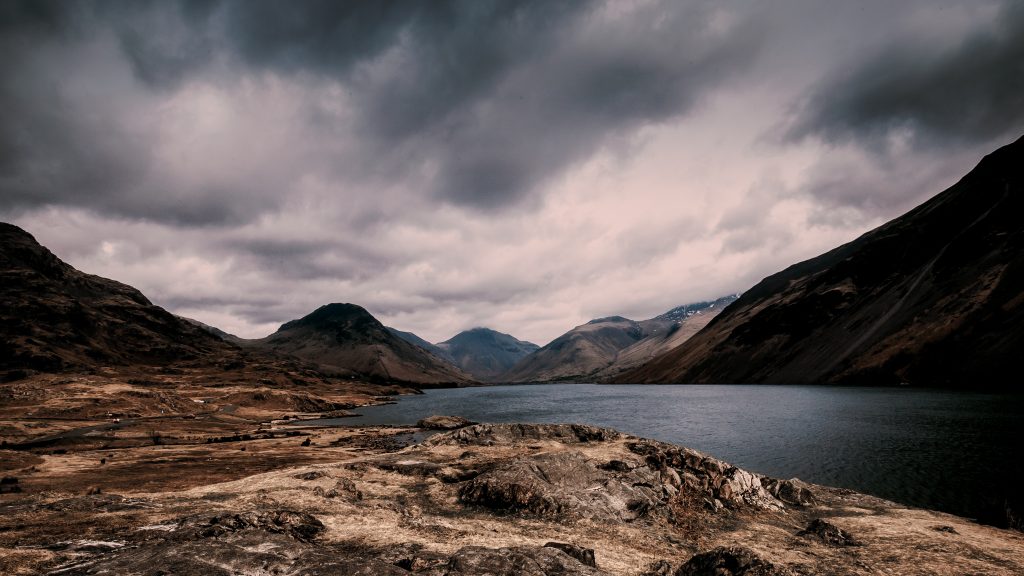
Lake District Photography: Wastwater

I started in Wastwater and worked the view looking towards Wasdale Head and Skafell Pike.

The landscape experts tell you to make the most of the weather you have been given. Well, at least it was not that insipid clear blue sky, you see on postcards of Lakeland scenes. The sky instead was overcast, the rain was spitting, and the breeze created a slight swell on the water. All in all, this created quite a moody scene.

Lakedistrict Photography

Wastwater in March / John Gough / Canon 6D


Lake District Photography: Buttermere

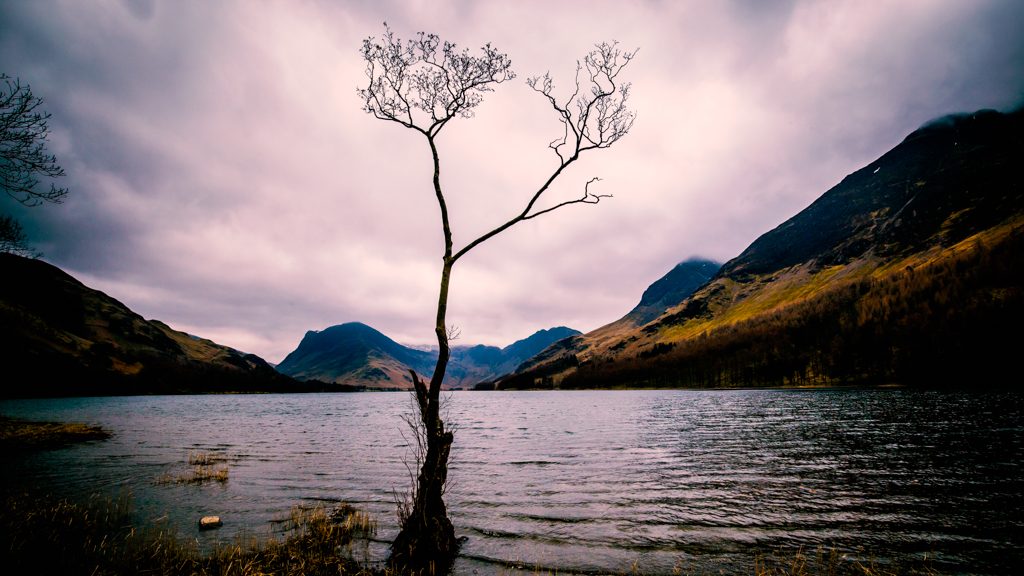
The next day I went in search of a photography icon, the lone tree on the shoreline of Buttermere Lake. Hundreds of photographers have got there before me. Indeed there was one there as I arrived, self consciously moving a tripod around while his wife looked on impatiently. Fortunately, I had neither encumbrance.

Head for the Fish Inn CA13 9XA. There is a public carpark. Walk past the pub and onto the path around the lake. When you reach the banks of the lake turn left and follow the path.

Lake District Photography

The Lone Tree / John Gough / Canon 6D

It is a misnomer the tree is not on its own, there are other trees along the bank. However, none have captured the imagination of artists and photographers quite like this one.

 Lake District Photography: Ullswater


I went to Pooley Bridge on Ullswater to find another iconic location, the Duke of Portland Boathouse. The best vantage point is from the wall just past the junction of the A592 and the B5320. It was, however, overcast, pouring with rain, and the lake was a murky grey. The boathouse is really only worth shooting as the sun comes up and illuminates it from the front.

I walked back to the pier for Ullswater steamers, by now it was raining hard, but as pier pictures seem very much in vogue, I captured the image at the top of the page. I took several but the rest were ruined by rain spots. By now I was cold and wet, so I decided it was time for a bacon butty.


I have added links to the books I use to find locations. These are affiliate links so I do get a very small payment if you purchase.


I used my Canon 6D on this trip with the magic 16-135 lens ideal for landscapes. I buy my gear from Wex because I have experienced their fantastic customer service personally.


Filed Under: Awards, Canon Cameras, Journey, Landscape, Locations, Photography Tagged With: Locations

Photography Show

by John Gough

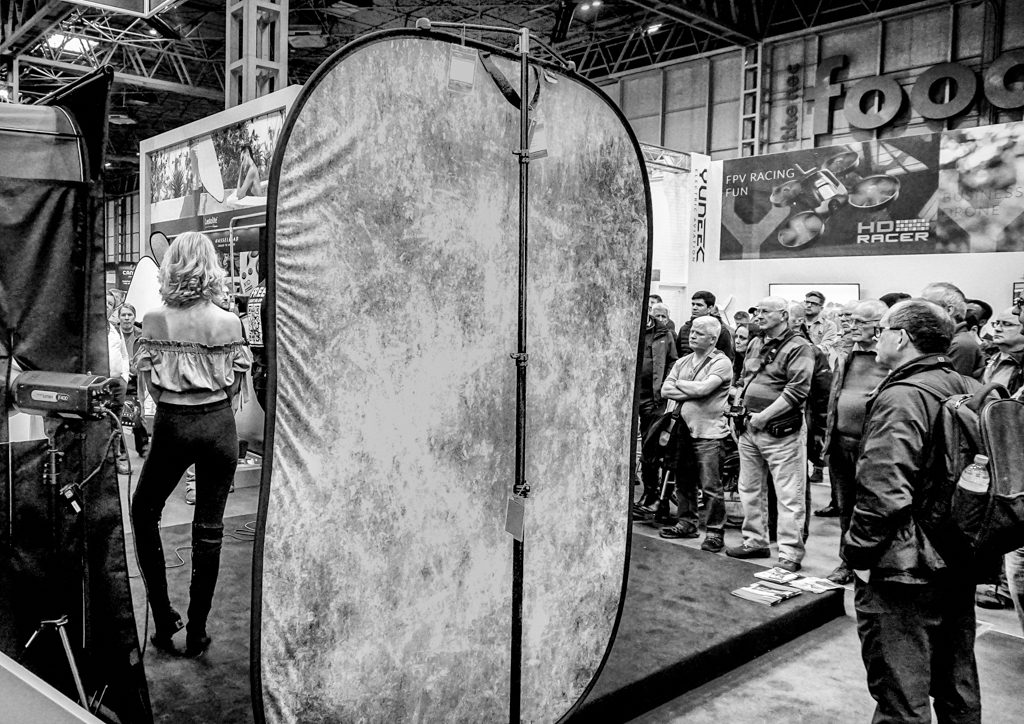
A Model at the Photography Show / John Gough / Sony a6300

I went to the Photography Show today, these are just a few impressions:

Canon 6DII

The Canon 6DII had been reduced in price again with a double discount scheme. Below £1400 and with a 24-70 lens thrown in for an extra £100. This is a sure sign that this much maligned camera is struggling. I talked to the guys on the Canon stand who said what we know, which is that Canon was afraid of ruining the market segment for the Canon 5D IV, by raising the specification too far. This strategy has backfired.

Sony A7III

The star of the show was the Sony A7III, I had read the reviews but was not sure how it would feel. It is a small light camera but feels solid in the hands. The EVF is big and bright. I compared it with my Sony a6300, and it is a bit bigger. I think it could be used for street photography. I want one.

Fuji H-XT

There has been some magic lost here. Fuji folk would never admit it. They are the most die hard camera fans there are. Fuji does some excellent marketing to keep them loyal and close. The camera, however, did not have the look and feel of the X-T2, X-T20 or the beautiful X-Pro2. I think it is losing the vintage experience and replacing with a top screen c’ Nikon year 2005, which has something to do with it. Plus Olympus and Sony are demonstrating that cameras do not have to be big and clunky.

Adapting Canon Lenses to Sony

I admit it was on the Sony stand that I heard this, but the Sigma M11 works well joining Canon glass to Sony bodies. There are frequent updates that can be downloaded to the adapter as new lenses and bodies are introduced. There is a big demand for this adapter as photographers switch from Canon to Sony.

Trashhand

Listened to Trashhand on the Live Stage. “Call me Trash”. Liked his approach to street photography which was a mix of people, architecture and urban landscape. He recounted that he had been spat at and assaulted working on the mean streets of Chicago, LA and New York. “If people complain, it is their fault. If they don’t want their photo taken then they should not be on the street”.

Paul Sanders

Saw Paul Sanders in the Adobe Theatre. Beautiful minimalist landscape using Lee big stopper filters to their full potential i.e. 10 and 20 minute exposures.

The End

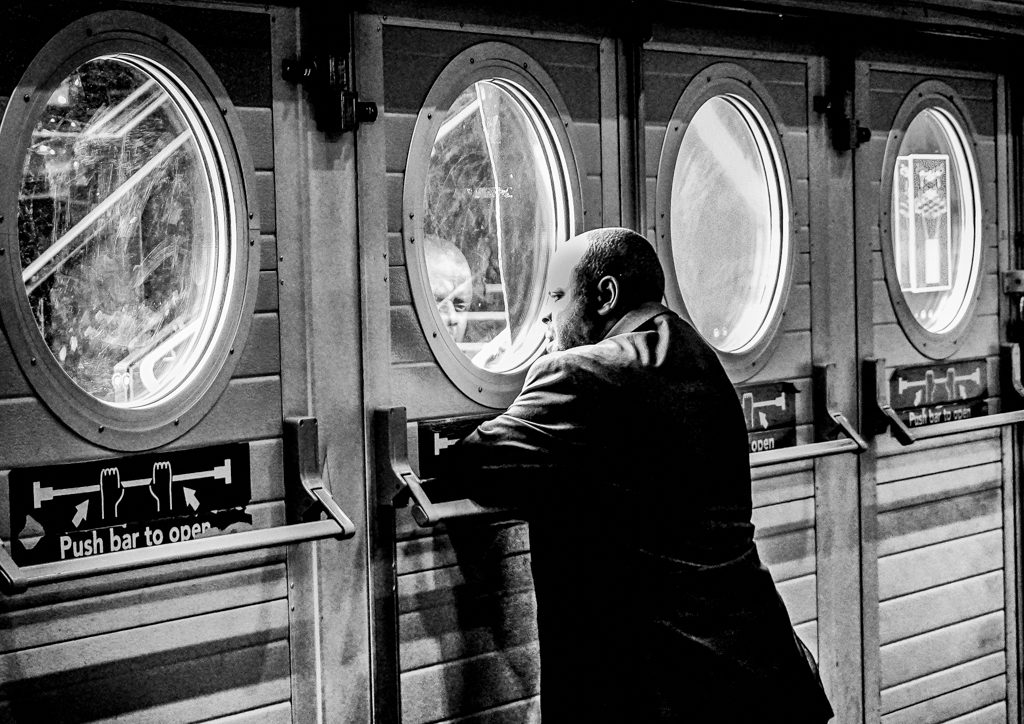
An excellent day, although I did get collared by security for taking a photograph of a door. I had to point out that this was a photography show.

Looking Out / John Gough / Sony a6300

Filed Under: Gear, Journey, Photography, Visual Art Photography Tagged With: Visual Art

How Do I Transfer Pictures to a PC from a Smartphone?

by John Gough

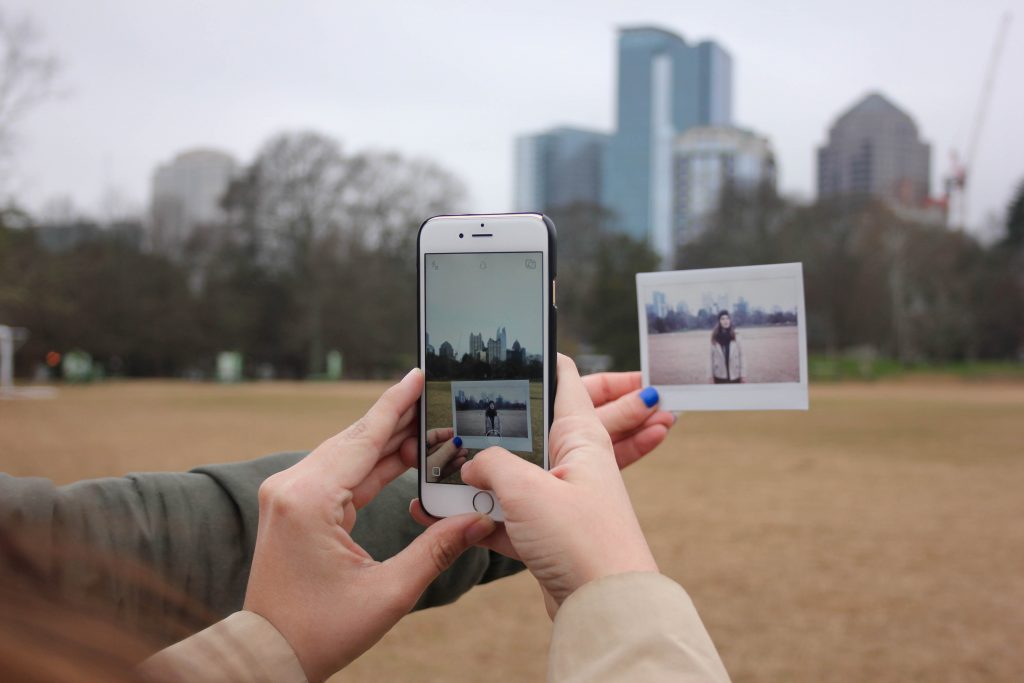
Photo by Rachael Crowe on Unsplash

One of the reasons I do not use my camera phone for ‘serious’ photography, is that I find it awkward to transfer pictures to a PC from my iPhone.

I am well aware that there are lots of different solutions out there regarding the transfer pictures to a PC from a smartphone, but I also know that my method, which is mailing them to myself is not the most efficient! Furthermore, I am also aware that I am too much of a curmudgeon to pay for iCloud.

I am not the only one confused. One of the most asked questions on Google is ‘how do I transfer pictures to a PC from a Smartphone?’

So what is the best solution?

Simple Way to Transfer Pictures to a PC from a Smartphone.

There is now an app from Microsoft. It is new and still in a testing phase, but it is available and works a treat. Furthermore, it does not involve the Cloud but it does require WiFi. It is free. It works for both Android and iPhone. It simply and seamlessly transfers pictures from your smartphone to a PC. How?

  • Find the Microsoft Photos Companion App in your App Store. And download to your phone.

Microsoft Photos Companion

  • Open the Windows 10 Photos App on your PC.
  • To make the Photos Companion App active. Go to the top right: See More>Settings>Preview>Help Microsoft test the mobile import over WiFi feature>Slide to On.
  • On the Windows 10 Photos App: Import>From mobile over WiFi
  • Open the Photos Companion App on the phone
  • Scan the QR code on the PC screen, to pair the PC and the smartphone.

Microsoft Photos App QR Code

  • Select the images to be transferred hit Done.
  • The pictures transfer across seamlessly to the Windows 10 Photos App on your PC.
  • Drag the pictures from the Photos App to your pictures folder.

The pairing isn’t permanent and will have to be re-established for each sharing operation, but it is quick and easy. If you think this could be useful, head to the Microsoft site to find out more.

I realise that there are many options out there to transfer pictures to a PC, but this one is both free and simple. The big advantage for me is that I no longer have to mail my own pictures to myself!

Filed Under: Gear, Journey, Post Processing Tagged With: Post Processing

« Previous Page
Next Page »

My Latest Notes About Photography

  • Remembering Martin Parr
  • Let them Shoot JPEGS
  • I Am Martin Parr
  • Lightroom Presets Using ChatGPT
  • Experience Saul Leiter

What’s in My Notes

Copyright: John Gough 2025