• Home
  • Images of the Month
  • My Notes
  • About
  • Contact
    • Privacy Policy

iJourneys

John Gough Photography

Olympus has Fallen

by John Gough

Olympus has decided to get out of the camera market by selling off its imaging division to an investment fund, Japan Industrial Partners. JIP is the company that purchased the VAIO computer business from Sony.

Olympus blame the severe decline in the digital camera market, for the demise of their business. The Olympus imaging division has not made a profit for the past three years.

Smartphones Replace Cameras

The writing has been on the wall for some time. It was inevitable that eventually, smartphones would eclipse camera sales. Smartphones have now replaced compact cameras to become the camera of choice for most people. The technology employed by Apple, Samsung and Huawei now far exceeds that of many camera manufacturers. Due in part to their adoption and development of computational photography

Beautiful Cameras

Olympus have during their 87 years in the camera business created some iconic cameras.

The beautiful, compact SLR film camera, the OM1 (above) was used by many famous photographers during the 1970’s. Including David Bailey, and Don McCullin.

The PEN-F series is a film / digital camera with a history and timeless design, very much like the Leica. Now would be a good time to snap up one of these beauties.

Olympus The End

Olympus and JIP plan to sign a definitive agreement by the end of September, with the deal expected to close later this year. Financial terms of the acquisition haven’t yet been made public.

Filed Under: Gear, Journey Tagged With: Olympus Cameras

Your Canon Camera as a Webcam

by John Gough

Your Canon Camera as a Webcam

Canon has launched a new piece of software that will enable your Canon camera as a webcam.

We are all spending more time on Zoom and Skype both for work and social interaction during lockdown. Usually, we rely on the tiny camera on our laptop, but what if we could use our DSLR?

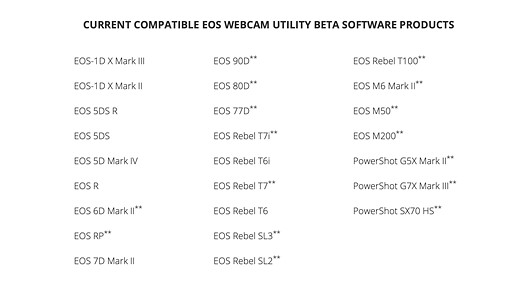
Well if you have an EOS or Powershot camera you can. This is because Canon has released, EOS Webcam Utility Beta, and with this software, you can use your Canon camera as a webcam. Initially, the software is just for Windows 10.

According to their press release:

“In unprecedented times, it’s imperative for Canon to provide our customers with useful, simple and accessible solutions to assist them in whatever imaging needs they have,” said Tatsuro “Tony” Kano, executive vice president of the Canon U.S.A., Inc. Imaging Technologies & Communications Group. “Our goal is that the EOS Webcam Utility Beta software can help reduce some of the remote workday stress for employees who are tasked with video conferencing and virtual meetings.”

I have a desktop PC that I use for photo editing and a laptop that I use for Zoom because it has a camera and mic. However, now that you can use your Canon camera as a webcam, I have decided to add Zoom to my desktop. I am now setting this up using my Canon EOS R, and I will take you through my experience step by step. This guide, however, should work for any Canon camera on the list below.

Which Canon Camera can be used as a Webcam

Canon Camera as a Webcam. Source: DPReview

Where to Download the Software

Download the software required on your PC from here. There is a link on this page for each supported camera. It is easy to download. Remember to restart your PC after the download.

Accessories Required

You will need a USB type-C cable. There should be one in the box if you purchased a Canon EOS R. However my desktop computer does not have a USB-C port. So I purchased a USB type-C to A cable.

Purchase this from Amazon here in the UK and here in the USA.

A small stand for the camera is useful. I purchased this Z flex stand which has not been off my camera since I bought it because it is so useful for those lockdown still life projects.

In the USA a similar stand is:

As my desktop did not have a microphone so I purchased this:

In the USA it is here.

Setup the Canon Camera as a Webcam

Once you have downloaded the software connect the camera to the computer via the USB cable.

Turn the camera on, and turn to Movie Mode. This can be set with the camera’s Mode Dial.

If you have not used the Movie Mode on a Canon EOS R before it may be hard to find. This is how I found it.

Open your conferencing app e.g Zoom or Skype and choose “EOS Webcam Utility Beta” as the video feed.

Connect your microphone. NB there is no audio feed from the camera.

Troubleshooting

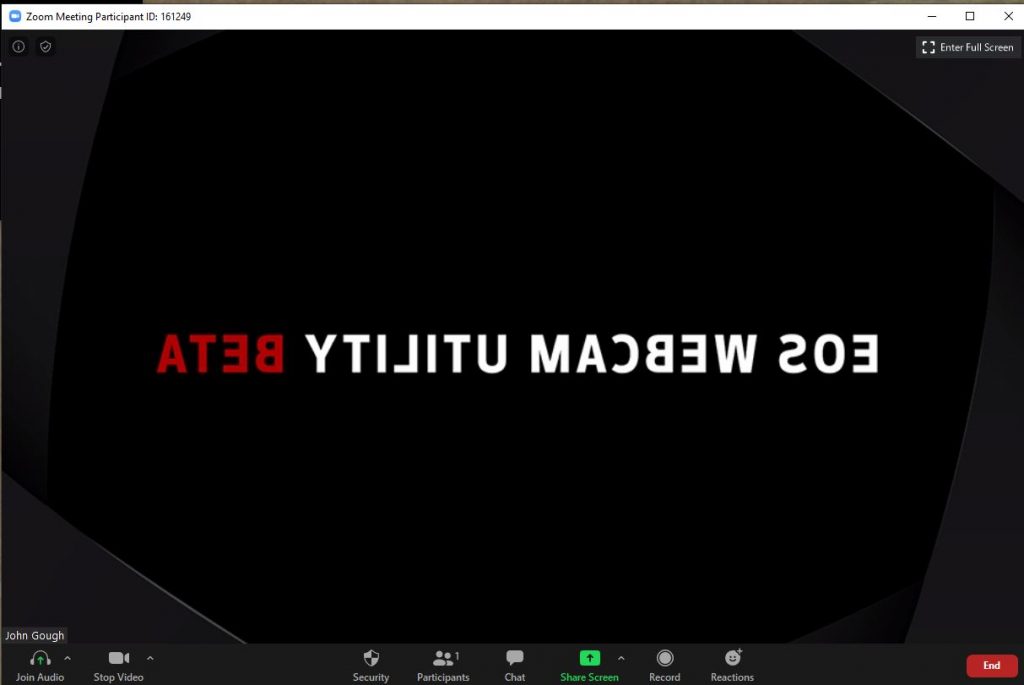
It is likely that the video conferencing will not work and you get this screen.

This is because you have EOS Utility running which is intercepting the video feed.

If you do not use EOS Utility go to Settings>Apps on your PC and uninstall. If you use the EOS Utility software right click on the systems tray, choose Task Manager and right click to end the task.

I found this fix here So cheers Tech Gear Talk

Resources

A Canon forum where users share feedback.

Canon download and installation instructions

YouTube video with installation instructions from Canon

Have fun.


Camera Wrist Strap

I have avoided dropping my camera so many times using a simple inexpensive wrist strap like this one. Cameras and expensive lenses do not bounce!

UK

USA


Filed Under: Canon Cameras, Canon EOS R, Gear, Journey Tagged With: Canon Cameras

Canon EOS R5 What You Don’t Know

by John Gough

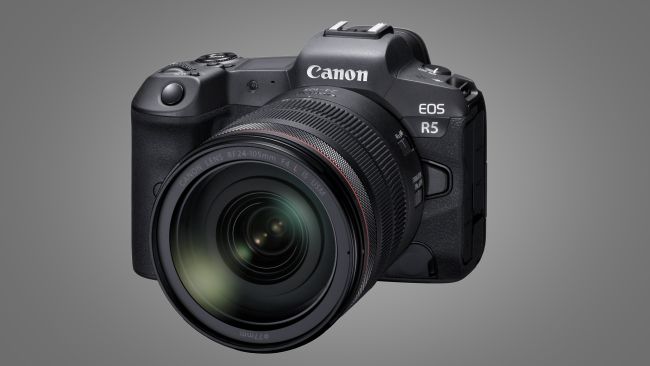
Canon EOS R5 (Image credit: Canon)

This is my research about the Canon EOS R5. The camera is not released yet. So there are some details about the camera that we know, and there are other details that are still rumours and we don’t know.

My thanks to Canonrumors for what we don’t know.

Specification: Canon EOS R5

  • Newly designed 45MP full frame CMOS sensor rumoured A sensor of this size is evidently required for 8K video.
  • 20fps electronic shutter burst or 12fps mechanically confirmed
  • In body stabilisation (IBIS) confirmed up to eight stops rumoured “a newly Canon-developed, in-camera image stabilization system – which works in combination with the lens stabilization system, making sure that whatever the situation stills and video content captured is shake-free.”
  • Builtin WiFi confirmed. 5GHz ?
  • Bluetooth 5.1 rumour
  • Dual card slots confirmed. One or both slots are CFexpress rumour.
  • Similar battery to the 5D Mark IV rumour.
  • 8K video confirmed @30fps unconfirmed 4K @ 120fps unconfirmed.

Differences with the Canon EOS R

I have moved to the Canon EOS R from Sony. I know the camera very well so I am not surprised at the rumoured design changes. These are what users have been asking for:

  • Similar size (based on photographs)
  • Multi-function bar to be replaced by a scroll wheel rumour
  • Larger capacity battery rumour
  • New Digic processor from the new Canon 1D X Mark III rumour

Positioning

This camera is being introduced by Canon as a professional mirrorless camera. Their tagline is ‘Professional Mirrorless Redefined’ (confirmed). The R5 shares a similar name to the Canon EOS 5D which has had success in the professional/strong amateur market for many years. Could the Canon EOS R5 be aimed at a similar market positioning (conjecture)?

Launch

The Canon EOS R5 will be on show at The Photography Show in Birmingham. (confirmed). The launch date is July 2020 in time for the Olympics in Japan (rumoured). The timing is tight, as many professionals have not yet made the move to mirrorless. The Canon shooters amongst them will likely be using the new Canon 1D X Mark lll.

There is a distant rumour that Canon are working on the Canon EOS R1 for launch in 2021.

The advantage of the R5 at the Olympics would be the 8K video. Which would allow quality stills to be produced from 8K footage. (Is this true?) Canon reportedly said that it is possible to “extract high-resolution still images from video footage”.

The recently launched Samsung Galaxy S20 smartphone does this. As they say on their website: “Shoot videos in 8K resolution at a huge 24FPS. And with Single Take, turn them into 33MP stills in an instant”.

Pricing

There is no confirmation on pricing, but the Canon EOS 5D is priced at £2549 body only. The EOS R5 is likely to be a similar price plus a premium e.g £3K (conjecture).


Camera Wrist Strap

I have avoided dropping my camera so many times using a simple inexpensive wrist strap like this one. Cameras and expensive lenses do not bounce!

UK

USA


Filed Under: Cameras, Canon Cameras, Canon EOS R, Gear, Journey Tagged With: 8K video, Canon, Canon Cameras, EOS R5, IBIS, mirrorless

Canon RF 24-240mm Lens Review

by John Gough

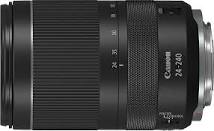
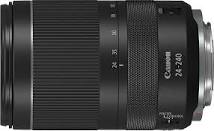
Canon RF 24-240mm lens

This is a review of the Canon RF 24-240mm lens. It is a true and accurate reflection of using my own lens in the field over several weeks.

Disclaimer

Let’s get one thing clear. I am reviewing a lens that I bought here in the UK. I have not been given the lens to review and I have not been on some Canon junket to write about the lens. This is my honest view.

Research on the Canon RF 24-240mm Lens

A big part of the fun of buying any photography equipment is the research before you buy. I shared my research on these pages both here and here.

Venice

I recently went to Venice which is a photographers paradise. I was shooting landscape and people. Although I took other lenses with me, the Canon RF 24-240 lens remained on my camera for most of the trip.

The flexibility of 24mm to a whopping 240mm is a joy. There is no thought that you may miss a shot because you don’t have the right lens. Just relax into shooting, confident that when the opportunity arises the lens can cope.

Quality of the Images

This is not an L lens so some photographers may worry that it is not top quality. In my view that may have been a problem in the past with the old EF mount. The new RF mount seems to have allowed Canon designers more flexibility to produce a better quality lens to fit the guide price. If this lens produces brilliant quality and it does, the RF L lenses are no doubt phenomenal.

However, I am not about to spend £2600 on a Canon RF 70-200mm F2.8L IS USM. When I could have three Canon RF 24-240mm lenses for the same price.

Restorante Pizzeria / John Gough / Canon EOS R

The image above is an example of the image quality. Taken at f9 at 1/1600 sec. It is possible to read the headlines on the gentleman’s newspaper and the papers in the shop doorway.

Minimum Aperture on the Canon RF 24-240mm lens

The minimum aperture on this lens is f4-6.3, which I imagined would be an issue. However, the image stabilisation on this lens more than offset that concern immediately. Canon claim it is five stops.

Gondolas Venice / John Gough / Canon EOS R

The image above was captured at 0.6 seconds in the early morning. There is no shake visible.

Distortion and Vignetting

Distortion and vignetting are apparent on this lens and was certainly a reason for some reviewers to unfairly criticise the lens. In my view, lens distortion is not a problem. As I wrote in an earlier post here.

Superzoom lenses are fantastically convenient, but notoriously difficult to build. As a result Canon have taken a leaf out of Apple, Samsung and Hauwie’s playbook and made a good lens a great lens with the addition of sophisticated algorithms.

24mm RAW Image with distortion
Corrected in Lightroom

As shown above, the RAW image is corrected perfectly in Lightroom. Just remember to include in presets or build into a workflow. The in-camera software will automatically do the same for JPEG images.

Usability

The lens is light considering the amount of glass at just 750g and feels well balanced on the R. It is plastic but feels solid and the zoom ring is smooth in operation.

The zoom ring can double as a control ring using a switch on the side of the lens. The control ring is one of my favourite features of the RF system. I set mine to exposure compensation.

Focussing with the silent Nano USM motor is fast. I did not experience any hunting.

It would be useful if the lens was weatherproofed.

Conclusion

As a street and urban photographer, this lens is perfect for wandering the streets and capturing people and situations. When you get to work with a 10x zoom, you have got to ask yourself, ‘Is it really worth carrying a bag of expensive lenses with you?’

This is not just a travel lens it is an everyday lens. I know I use it every day.

UK

USA


Camera Wrist Strap

I have avoided dropping my camera so many times using a simple inexpensive wrist strap like this one. Cameras and expensive lenses do not bounce!

UK

USA


Filed Under: Canon Cameras, Canon EOS R, Equipment, Gear, Journey, Lightroom Tagged With: Canon Cameras

Canon Sales Decline Due to Computational Photography

by John Gough

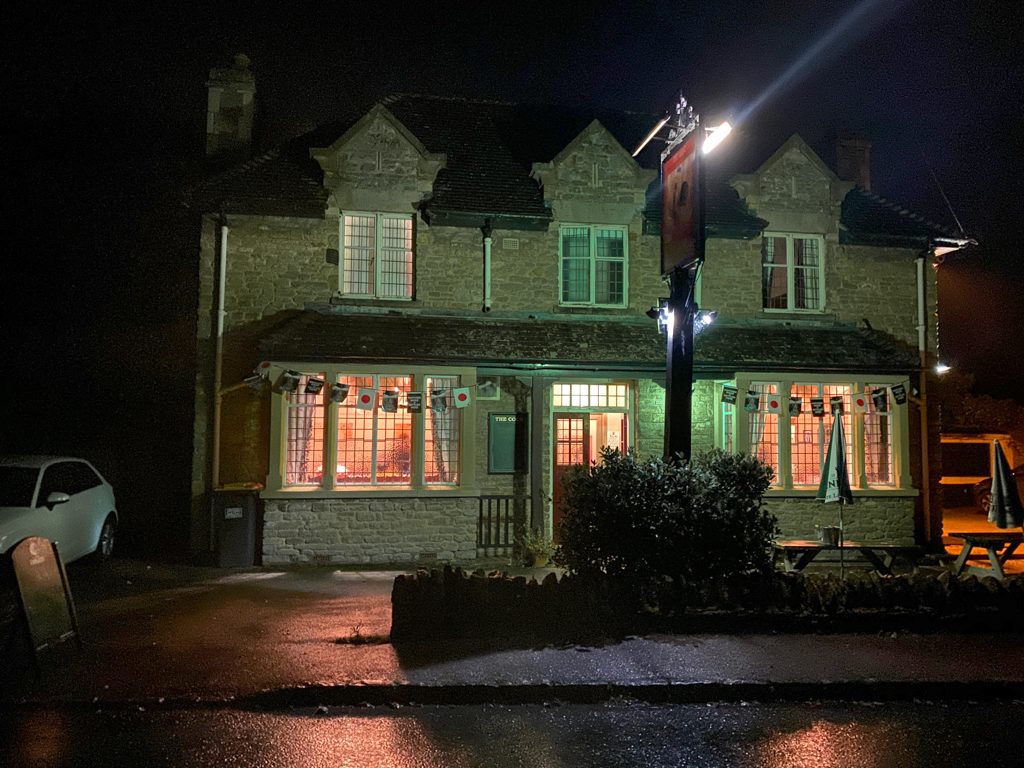
iPhone capture of my local pub at night

Canon unit sales are down this quarter by a massive 22%. It seems cameras are going the same way as alarm clocks, pagers, calculators and road maps. Superceeded by the ubiquity and technology of the smartphone.

Nobody carries a pocket camera with them anymore. The ease of having a smartphone camera in your pocket has become too compelling and convenient. As a result compact camera sales were down 88% in the year to August 2019 across the market.

Compact cameras have all but disappeared, but all camera types are in decline. Canon interchangeable lens cameras are down 19%, as the market for entry level DSLR’s dries up. As smartphones get smarter, DSLR cameras and even mirrorless cameras are heading for the floor

It is not just the technology, but also the quality of smartphone photography that continues to improve. As this review of smartphones by a professional photographer illustrates.

When Apple launched the iPhone in 2007, the small 2MP camera would not have been seen as much of a threat to Canon’s position in the camera market. Whilst the traditional camera makers concentrated on bigger sensors and more lenses, the smartphone makers took a different route. They chose the only road they knew, which was software. The direction of this development was computational photography.

Computational Photography

As Phil Schiller of Apple boasted that the iPhone 11‘s new computational photography abilities are “mad science.”  While Sabrina Ellis from the Google Pixel team said when they introduced the new Pixel 4. “The special sauce that makes our Pixel camera unique is our computational photography.”

The photograph at the top is of my local pub at night, taken with an iPhone using night mode. Part of the iPhone’s computational photography capability. It is amazing, I would need a tripod and a long exposure to do the same with my Canon EOS R.

I am grateful to my friend Jim Boud who found this brilliant feature which explains all you need to know about the science.

As you read through this immense article you begin to realise just what a dinosaur your expensive DSLR is becoming. Computational photography is taking us to a completely new vista. Cameras that start taking photographs before you even hit the shutter. Combine tens of images to find the perfect exposure. Eliminate motion blur by combining images and even produce artificial bokeh.

Is there a future for the traditional camera? Perhaps amongst professionals and enthusiasts. Then again Apple could combine all this technology with a full frame sensor and reinvent the camera. Disrupting the market, just as they did with the iPod, iPhone, and iPad. Watch out for the relaunch of the iPhoto.

One thing is for certain if the photograph of my local pub is anything to go by, a shot in the dark will never be the same again.


Filed Under: Canon Cameras, Gear, Journey Tagged With: Canon Cameras

Canon RF 24-240mm Lens Part 2

by John Gough

Canon EOS R 24-240mm

This is the second instalment (the first instalment is here) of the Canon RF 24-240mm lens review of reviews. There are are a couple of new reviews in.

In fairness, the new reviews are not very different from previous reviews but they do confirm the general direction of travel. It does not change my conclusion.

Specification

To recap on the spec’…..

  • 10x zoom range
  • Dynamic Image Stabilization rated to five stops
  • Maximum aperture f4-6.3
  • Nano USM autofocus. What’s that?
  • Approximate weight of 750 grams/26.4 ounces
  • Customisable control ring to adjust exposure compensation, shutter speed, aperture or ISO
  • No weather sealing
  • 21 lens elements in 15 groups.
  • 12-pin communication system
  • Lens hood not included

Reviews

How good is it though? It is not an L lens, so it is not the best quality lens that Canon can manufacture. However, Canon claims that the lens is RF quality because the new mount and flange distance provide Canon with new optical opportunities.

Only now are reviewers getting hold of the lens and putting it through some tough testing.

Scott Kelby

This is a report based on using the lens on a shoot for ten days in China.

Key Points

  • Beautiful sharp images. Super sharp in the centre.
  • Once on the camera it was not taken off for the entire trip, because of the amazing zoom range. Provides enormous versatility. Only have to now carry one lens.
  • Frightening vignetting, chromatic aberration and barrel distortion. However this is 100% sorted in lens correction in post. Two clicks and they are gone.
  • Lightweight.
  • Favourite lens so long you have a workflow which includes lens correction. Most serious photographers will do.

Techradar

This review gave the lens 4 stars.

Key Points

  • The maximum aperture may not sound impressive but wider would have added weight and the 5 stop IS makes up for it.
  • IS OK down to 1/8th second
  • Near silent Nano USM motor
  • 50cm minimum focus distance
  • Feels solid this is not a lens that will fall apart
  • A fair amount of vignetting as the lens is opened wide, but this can be easily dealt with in camera or with RAW files in LR
  • Sharp results

Digital Camera Review

This review gave this lens 5 stars.

Key Points

  • ‘exploits the new RF lens mount width and flange distance and Canon’s latest lens technologies to meet new, higher standards of performance’. 
  • ‘Canon is also very excited about this lens’s 5-stop image stabilisation system. The ‘steadying’ effect is very visible in the viewfinder, though in practice we found it no better or worse than most other stabilisers’.
  • The lens relies heavily on digital correction. Uncorrected raw files show the corners clipped by vignetting. This is corrected in camera for JPEGs. Canon however, has not yet incorporated correction data into its raw files, and so requires fixing using Adobe Camera Raw.
  • ‘Is digital correction cheating? Well, if it means we get lenses and results that wouldn’t otherwise be possible, we say it’s all fair’. 
  • This lens is reliant on both digital and optical correction to reach its full potential,  but Olympus and Fuji have been doing this for years with their lenses 

Christopher Fox Photography

Christopher is an urbane English guy. This is his review:

Key Points

  • Is this really a budget lens when priced at £$900?
  • The Nano USM autofocus is quick and accurate
  • The build is plastic but solid
  • The focus and control ring are interchangeable
  • Images are sharp in the centre but softer in the corners.
  • Distortion and vignetting is apparent but handled well by the in camera software.
  • Close up images are sharp and can be shot as close as 75cm.
  • Conclusion: this is a mediocre lens optically improved by the camera software

Testing the New Canon RF 24-240mm Over Three Weeks in Pakistan

This review from PetPixel by Martin Bissig a Canon Ambassador who took the lens on a trip through the rugged terrain of Pakistan.

Key Points

  • ‘it was the image quality that surprised me the most: for a lens of this size and weight, I was expecting lower imaging capabilities’.
  • ‘It’s a good and practical compromise between size, weight, quality and zoom range. If you travel a lot and are not a fan of changing lenses, the 24-240mm lens is ideal, provided you already have a Canon mirrorless camera or you’re ready to make that leap’.
  • Cons are weather sealing, wide apertures and no lens hood.

Conclusion

There was a time when professional photographers would not use telephoto lenses. They just used prime lenses. However as quality improved, there is now not a professional photographer who has not got one in their bag.

There is currently a similar disenchantment with superzooms. But what press photographer would not want to use a superzoom rather than have multiple cameras hanging around their necks.

Times change. A smartphone can take superb images, but it does not have a Canon L lens, it has a tiny lens which has it’s shortcomings overcome by the very clever software built into the phone.

Why then should Canon not do the same with this full frame superzoom? Superzoom lenses are fantastically convenient, but notoriously difficult to build. As a result Canon have taken a leaf out of Apple, Samsung and Hauwie’s playbook and made a good lens a great lens with the addition of sophisticated algorithms.

Wait for the professionals to join us amateurs, when they realise glass is not everything.

Filed Under: Canon Cameras, Canon EOS R, Gear, Journey Tagged With: Canon Cameras

Canon RF 24-240mm Lens Review of Reviews

by John Gough

Canon RF 24-240mm
Canon RF 24-240mm

Canon announced the Canon RF 24-240mm lens in July, for launch in September 2019. This lens is for the latest RF full frame mirrorless cameras like the Canon EOS R and Canon EOS RP. It sounds like an amazing lens, with ten times zoom, and five stop image stabilisation. This could be a lens that covers all bases and will end up being glued to your camera.

Specification

Before going on to the reviews lets look at the spec’

  • 10x zoom
  • Dynamic Image Stabilization rated to five stops
  • Maximum aperture f4-6.3
  • Nano USM autofocus. What’s that?
  • Approximate weight of 750 grams/26.4 ounces
  • Customisable control ring to adjust exposure compensation, shutter speed, aperture or ISO
  • No weather sealing
  • 21 lens elements in 15 groups including.
  • 12-pin communication system
  • Lens hood included

Reviews

How good is it though? It is not an L lens, so it is not the best quality lens that Canon can manufacture. However, Canon claims that the lens is RF quality because the new mount and flange distance provide Canon with new optical opportunities.

Only now are reviewers getting hold of the lens and putting it through some tough testing.

Digital Camera Review

This review gave this lens 5 stars.

Key Points

  • ‘exploits the new RF lens mount width and flange distance and Canon’s latest lens technologies to meet new, higher standards of performance’. 
  • ‘Canon is also very excited about this lens’s 5-stop image stabilisation system. The ‘steadying’ effect is very visible in the viewfinder, though in practice we found it no better or worse than most other stabilisers’.
  • The lens relies heavily on digital correction. Uncorrected raw files show the corners clipped by vignetting. This is corrected in camera for JPEGs. Canon however, has not yet incorporated correction data into its raw files, and so requires fixing using Adobe Camera Raw.
  • ‘Is digital correction cheating? Well, if it means we get lenses and results that wouldn’t otherwise be possible, we say it’s all fair’. 
  • This lens is reliant on both digital and optical correction to reach its full potential,  but Olympus and Fuji have been doing this for years with their lenses 

Christopher Fox Photography

Christopher is an urbane English guy. This is his review:

Key Points

  • Is this really a budget lens when priced at £$900?
  • The Nano USM autofocus is quick and accurate
  • The build is plastic but solid
  • The focus and control ring are interchangeable
  • Images are sharp in the centre but softer in the corners.
  • Distortion and vignetting is apparent but handled well by the in camera software.
  • Close up images are sharp and can be shot as close as 75cm.
  • Conclusion: this is a mediocre lens optically improved by the camera software

Testing the New Canon RF 24-240mm Over Three Weeks in Pakistan

This review from PetPixel by Martin Bissig a Canon Ambassador who took the lens on a trip through the rugged terrain of Pakistan.

Key Points

  • ‘it was the image quality that surprised me the most: for a lens of this size and weight, I was expecting lower imaging capabilities’.
  • ‘It’s a good and practical compromise between size, weight, quality and zoom range. If you travel a lot and are not a fan of changing lenses, the 24-240mm lens is ideal, provided you already have a Canon mirrorless camera or you’re ready to make that leap’.
  • Cons are weather sealing, wide apertures and no lens hood.

Conclusion

There was a time when professional photographers would not use telephoto lenses. They just used prime lenses. However as quality improved, there is now not a professional photographer who has not got one in their bag.

There is currently a similar disenchantment with superzooms. What press photographer would not want to use a superzoom rather than have multiple cameras hanging around their necks.

Times change. A smartphone can take superb images, but it does not have a Canon L lens, it has a tiny lens which has it’s shortcomings overcome by the clever software built into the phone.

Why then should Canon not do the same with this full frame superzoom? Superzoom lenses are fantastically convenient, but notoriously difficult to build. As a result Canon have taken a leaf out of Apple, Samsung and Hauwie’s playbook and made a good lens a great lens with the addition of algorithms.

Wait for the professionals to join us amateurs, when they realise glass is not everything.

Filed Under: Canon Cameras, Canon EOS R, Gear, Journey Tagged With: Canon Cameras

Canon EOS R Setup

by John Gough

Canon EOS R

The Canon EOS R is a camera that can be customised precisely for the type of photography that you enjoy. The setup here is for general photography but it can easily be tweaked towards the photography that you do most. As an example, I have set my own camera up for street photography and saved it as a preset. All will be explained in this guide to the Canon EOS R setup for the everyday photography of places, things, and people.

The settings described are in the Menu.

First

Format the Card

It is worthwhile getting into the habit of reformatting the card every time you use it. Getting rid of all the data reduces the risk of data corruption.

WRENCH 1> Format Card

Canon EOS R Menu

Most menu settings can remain as set by Canon when the camera left the factory. These are the settings I would change:

Starting Out

Image Type

Shooting in RAW gives the utmost flexibility in post production, but if you are not into that, shoot in JPEG. I set the camera up for both..

CAMERA 1> Image Quality> CRAW + S1

Power Saving

ECO Mode does not seem to slow the camera down so set.

WRENCH 2>ECO mode> On

Shooting Settings

I prefer not to have a view of the picture I have just taken appear in the viewfinder. It slows down shooting speed, so I disable this feature:

CAMERA 1> Image Review> Off

It is an easy mistake to make to go out without a card installed. To prevent shooting your best pictures ever, and then realising that they have not been recorded.

CAMERA 1>Release Shutter Without Card> Off

Auto Focus

There are two autofocus modes that can be set in AF 1. ONE SHOT AF where the camera focusses and locks on the subject and SERVO where the camera continually refocusses on a moving subject. A convenient way to shift between the two is to use the M-Fn button to the left of the shutter button.

Continuous AF

When switched on the camera is continually refocusing so that when you come to take the picture it is already in focus before the shutter is pressed. This means that it is working when the camera is just being held.

There seems no need because the focus works instantaneously when the shutter is pressed.

AF 1> Continuous AF> Disable

AF Method

AF 1> If you want to use the face and eye detect features on the camera then set to Tracking. Personally, I do not. Instead I set to AF 1> AF method> 1-Point AF which has more flexibility for all sorts of photography.

Eye Tracking

AF 1> Eye Detection AF> Enable (NB has to be set to Tracking)

Touch Screen AF

Use the screen to move the AF point. With a bit of practice, it works great just using your thumb.

AF 1> Touch and drag AF settings> Touch and drag AF> Enable

AF 1> Touch and drag AF settings> Positioning method> Relative

AF 1> Touch and drag AF settings> Active touch area> Btm left (depends which eye you use and need to avoid your nose changing the AF position)

Useful Tips

Drive Mode

I leave the camera in Single Shot but if you need to change to Self Timer or Continuous shutter release then the quickest route is via the M-Fn button to the left of the shutter button.

Vertical Finder Display

The information in the EVF will rotate if the Canon EOS R is held vertically.

WRENCH 4> Shooting info disp> VF vertical display> ON

Grid in Viewfinder

I find a grid in the viewfinder useful for composing. I am always trying to shoot those thirds. 

WRENCH 4> Shooting info disp> Grid display> 3×3

Using Non-Canon Lenses

To use other branded lenses with the Canon EOS R adapter.

CUSTOM 5> Release shutter w/o lens> ON

Beep on Focus

Do you want to let everyone know that the camera has focused? Probably not.

WRENCH 3> Beep> Disable

Setting Custom Buttons and Dials

Control Ring

The ring on EOS lenses and the EF lens adaptor is a useful feature. As it is possible to see in the viewfinder the effect of different exposure values so I set to Exposure Compensation.

CUSTOM 4>Customize dials> Control ring> Exposure compensation ( hold meter btn)

M-Fn Bar

This control is controversial, some people find it OK others hate it. It might be OK when I get used to it. I have it set for ISO

CUSTOM 4> Customize M-Fn bar> ISO

Save Settings

To save these settings WRENCH 6> Custom Shooting Mode (C1-C3)> Register Settings> Custom shooting mode> Register camera settings to Custom shooting mode> OK.

Filed Under: Canon Cameras, Canon EOS R, Gear, Journey Tagged With: Canon Cameras

Canon EOS R Street Photography Set Up

by John Gough

New Baby / John Gough / Canon EOS R


I like street photography because you can walk out of your front door and start taking pictures. Well, that’s not true because where I live in a village in the UK, there are not that many people about. Unless it is the day of the village fete or harvest festival. Anyway a short drive away, there are streets, people and loads of photo opportunities. On the face of it, the Canon EOS R is not an obvious choice as a street camera, but on closer examination, it is right on the button. So what are the Canon EOS R street credentials?

Canon EOS R Street: Lens

Prime lenses are ideal for street photography, they are generally smaller and lighter than zoom lenses and usually have wider apertures. As a result, there is no need to ramp up the ISO to avoid a blurry shot or too narrow depth of field.

Zoom lenses also make you feel furtive and more like a sniper than a photographer. So a 35mm lens is ideal. It is probably the most used street lens there is. Wide enough to capture detail from the right distance, and so as long as you have the nerve to shoot close up it is ideal. Otherwise, try a 50mm lens.

It just so happens that Canon has a lovely 35mm lens designed especially for this camera. It is the Canon RF 35mm f1.8 Macro STM Lens.

I waxed lyrically about this lens here. The EOS R and this lens make a consummate camera combination. Small enough so that finding the shutter button does not involve keyhole surgery, and compact and light enough to carry all day.

Remember mixing it in the street can easily knock the camera from your hands, so take my advice and use a wrist strap. This is what I use:

Canon EOS R Street: View

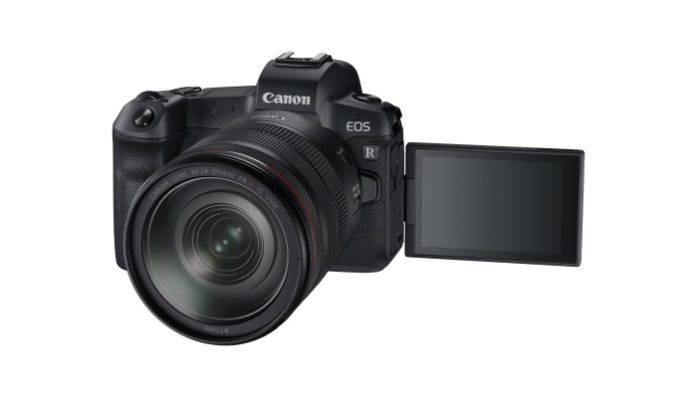
Canon EOS R Flippy Screen

An articulated screen is now almost a must for street photography. OK, Cartier Bresson did not have one, but we no longer use film either. An articulated screen has two advantages. Firstly, you can shoot from the hip, which is a far more hip vantage point than eye level. Secondly, lifting the camera to your eye is like shouting your intent to take a photograph. Using a discrete flip out screen is far more incognito.

The Canon flippy screen is especially good for this. It opens outward so that the screen is just left of the camera. A picture can be taken by just touching the screen, and using the electronic shutter rather than the mechanical one makes this camera completely silent. Your finger does not even have to go near the shutter release, and there is no sound.

Canon EOS R Street: Set Up

Most street photographers would normally recommend P or Programmed Automatic for street photography. You can set the ISO and then the camera will calculate the best combination of aperture and shutter speed. This works well most of the time, but there is a Perito Principle at work here. Usually, 80% of images are passable and around 20% result in some motion blur or lack depth of field. Fortunately, on the Canon EOS R there is Fv mode, which is a customisable P mode.

Fv Mode

Fv mode is like Programmed Automation but it is possible to switch between the shutter speed, aperture, ISO and white balance, in the viewfinder, using just the top mode dial. Change any one value, and the others change automatically. This is massively quicker than manually changing the mode from Av, Tv, P, etc. Just do it in camera. This is ideal for street shots, where there is no time to fiddle with the camera, and any fiddling would just draw attention to yourself.

Touch Screen Shooting

To enable a touch screen shutter release. CAMERA 5> Touch Shutter> Enable> Use the icon on the screen to toggle between  ON / OFF (the camera will focus on the area touched)

Silent Shooting

To silent beeps when focussing etc: WRENCH 3> Beep> Disable

To enable the electronic shutter: CAMERA 6> Silent Shutter> Enable

Focus Beam

To disable the focus beam that assists focus in low light: AF 4>AF assist beam firing> OFF

Save Settings

To save these settings WRENCH 6> Custom Shooting Mode (C1-C3)> Register Settings> Custom shooting mode> Register camera settings to Custom shooting mode> OK.

Not the Obvious Choice

So this camera is not a Leica M10 which many purists would see as de rigeur for this type of work. No, this camera is better than that.

Where I Buy

I buy my equipment from Wex because of their exceptional customer service. I once returned a camera after 30 days, and the next day they called to return my money to my account. Their prices are always competitive and they offer good prices on the trade in of your used gear


Filed Under: Canon Cameras, Canon EOS R, Gear, Journey, Mirrorless, Street Photography Tagged With: street photography

Canon RF 35mm f1.8 IS Macro Review

by John Gough


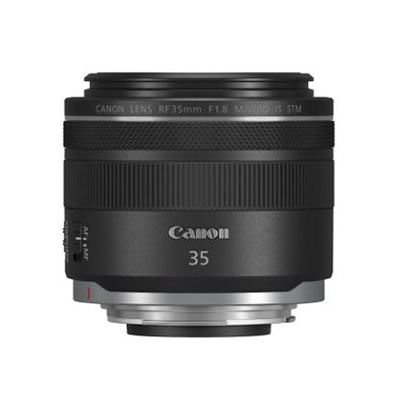
Canon RF 35mm f1.8 IS Macro

The Canon RF 35mm f1.8 IS Macro is an important lens. It is the first non L lens for the Canon EOS R mirrorless line up. There was some derision when Canon introduced the initial lens line up for these cameras. They were big, bulky, heavy and very expensive. The RF 50mm f1.2, for example, weighs 950 g, does not have image stabilization and costs a whopping £2349. It is however by all accounts a brilliant lens.

That is why the RF 35mm is such an important lens. Small and light, with IS it costs £519. Hopefully, it is the start of a line of affordable lenses for these cameras. With the launch of the Canon EOS RP, a full frame mirrorless camera for just £1399 body only. Canon is signalling its intention of overlapping into the Fujifilm and Olympus space. To do this effectively it needs lenses that are fabulous and that cost hundreds not thousands.

Ken Rockwell Review

So how good is this Canon RF 35mm.

Ken Rockwell who to me is the ultimate reviewer said:

“This lens does many things and does them all well. It shows that Canon is really on the ball; this is a very innovative lens different from all the others.

It’s a little lens with big performance”.

That’s enough for me, this lens is good.  Read his review here.


Real Life Review

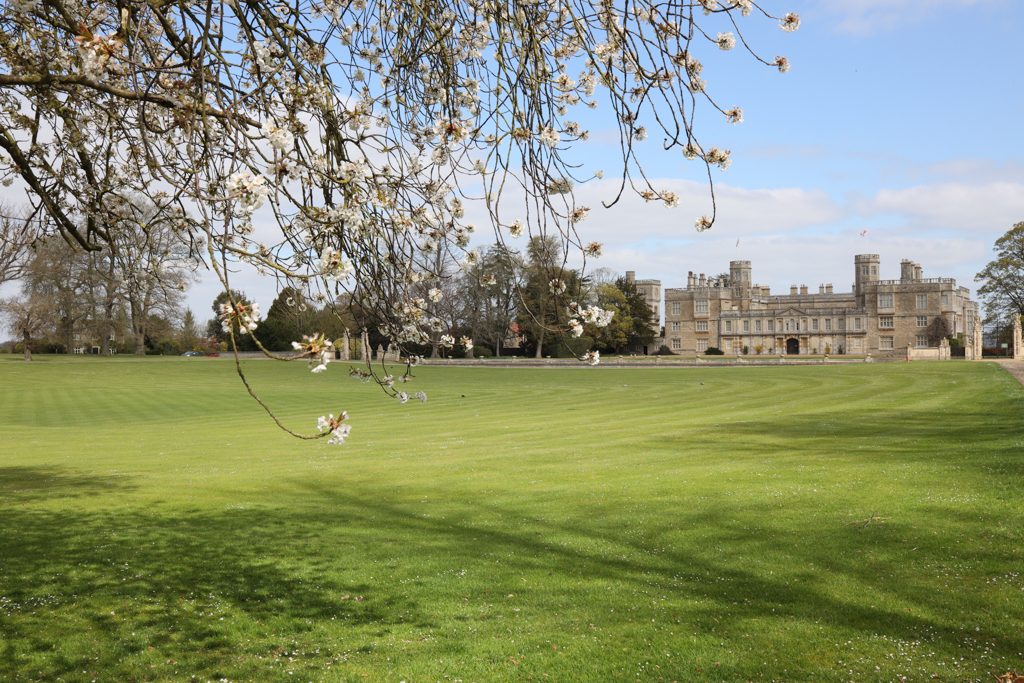
So what is it like in real life? I headed to Castle Ashby Gardens in Northamptonshire to find out. These are all JPEGs straight from the camera.

Landscape

A 35mm lens is ideal for landscape….

Landscape

Street Photography

…and street photography. Well sort of.

Street Photography


Image Stabilization

Image stabilization is 5 stops. This image was taken at 1/13th second, hand held. Looks sharp enough to me. There were critics who complained that the EOS R did not have in body stabilization, but the lens stabilization here is pretty phenomenal.

Image Stabilization

Bokeh

The bokeh on this lens is soft and dreamy, and the image as sharp as a pencil.


Bokeh

Macro

With a maximum magnification of 0.5x, you can fill the frame with spring blossom, and wallow in the fine detail.

Macro


 What is There not to Like

The lens is made of plastic, but it feels solid. A perfect partner with the Canon EOS R and RP

There is no lens hood. Buy one here at Amazon. I bought this one.


Conclusion

The new RF mount will enable new innovative lenses from Canon. The reduction in the flange distance between the sensor and the lens should mean that the new RF L lenses will be superb, and the non L lenses as proved by this lens will be great.

Could it be that in future a non L RF lens will be as good as a Canon EF L lens? I look forward to the technical comparisons.

Where I Buy

I buy my equipment from Wex because of their exceptional customer service. I once returned a camera after 30 days, and the next day they called to return my money to my account. Their prices are always competitive and they offer good prices on the trade in of your used gear


Filed Under: Canon Cameras, Equipment, Gear, Journey Tagged With: Canon Cameras

« Previous Page
Next Page »
Copyright: John Gough 2025